

VideoToScript
Overview
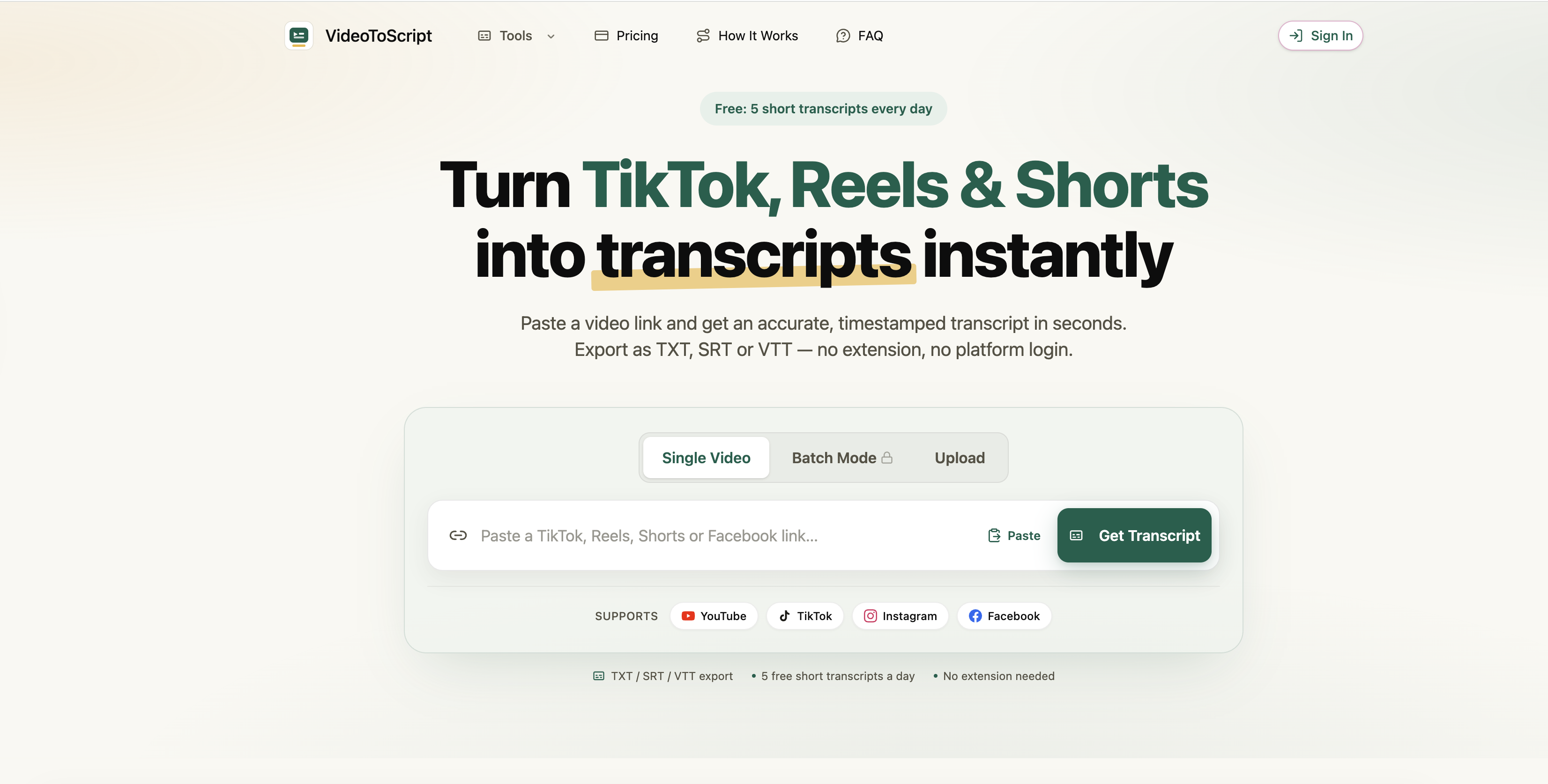
- Get accurate timestamped transcripts from TikTok, Instagram Reels, YouTube Shorts, and Facebook videos in 3 to 10 seconds by pasting the public link into the built-in engine
- Capture fast dialogue and voiceovers from short-form videos with 95%+ accuracy thanks to an engine optimized for rapid speech patterns
- Export ready-to-use transcript files as TXT, SRT, or VTT for scripts, subtitles, and captions without any conversion work
- Analyze viral video messaging and successful ad creative by turning winning short-form content into searchable text for content strategy replication
- Study social media communication, advertising trends, and speech patterns through text transcriptions that serve as research data for academic work
- Start transcribing short-form videos for free with 5 daily transcripts, no extension, account, or installation required
- Keep video links and files private with secure processing that never shares data with third parties
Pros & Cons
Pros
- Supports multiple platforms
- Highly accurate transcript
- Handles fast dialogue
- Transcribes voiceovers
- Various export formats
- No extension needed
- No platform account needed
- Timestamped transcripts
- Free tier available
- Rapid transcript generation
- Secure data processing
- Not sharing data
- Handles viral videos
- Supports academic research
- Facilitates content creation
- Aids digital marketing
- Supports social video analysis
- Single Video/Batch Mode
- Lightning fast transcription
- 95%+ accuracy
- Zero setup needed
- Generates transcript in seconds
Cons
- Limited free usage
- Limited to short-form videos
- Requires public video links
- No multi-video batch processing
- Lacks account integration
- No support for non-social platforms
- No offline functionality
- Potential issues with accuracy of fast dialogues
- Only supports TXT, SRT, VTT formats
- Lacks real-time transcription
Reviews
Rate this tool
Loading reviews...
❓ Frequently Asked Questions
VideoToScript is a tool designed to instantaneously convert videos from multiple social media platforms into accurate, timestamped transcripts. It supports platforms such as TikTok, Instagram Reels, YouTube Shorts, and Facebook.
VideoToScript works by using its built-in AI engine to process the speech in the uploaded video and produce a precise text version. Users need to paste the public link of a video into the tool. The application is optimized to understand fast dialogue and voiceovers typically found in short-form videos on the supported platforms.
VideoToScript supports a variety of platforms including TikTok, Instagram Reels, YouTube Shorts, and Facebook.
To use VideoToScript, users need to copy and paste the public link of a TikTok, Instagram Reels, YouTube Shorts, or Facebook video into the tool. The in-built AI engine processes the speech and generates an accurate, timestamped transcript in seconds. The user can then download and use the transcript as a TXT, SRT, or VTT file.
VideoToScript is optimized to handle short-form videos typically hosted on platforms like TikTok, Instagram Reels, YouTube Shorts, and Facebook. It can effectively process fast dialogues and voiceovers commonly found in such videos.
Yes, VideoToScript offers real-time video transcript generation. It can produce a transcript within a span of 3 to 10 seconds.
VideoToScript is extremely fast in converting videos into transcripts. Most short-form transcripts are ready within 3 to 10 seconds.
Users paste a public video link into the designated space on the VideoToScript platform to convert it into a transcript.
Users can expect an accuracy of 95% or more from VideoToScript, making it a highly reliable tool for video transcription.
Yes, VideoToScript is able to handle fast speech and voiceovers in videos. It is specifically optimized for fast-paced dialogues and voiceovers from short-form social media videos.
With VideoToScript, users can export transcripts in multiple formats, specifically TXT, SRT, or VTT.
Yes, VideoToScript offers a free tier. It allows users to process a limited number of short transcripts each day.
The limitation of the free tier of VideoToScript is that users can only process 5 short transcripts each day.
No, users do not require any extensions or platform accounts to use VideoToScript. The tool generates transcripts simply by processing the video link provided by the user.
When using VideoToScript, users' data is protected securely. The tool processes users' links and files securely, ensuring optimum data security.
No, VideoToScript doesn't share users' links or files with third parties. Users' data privacy is of utmost importance to VideoToScript.
VideoToScript supports content creators by generating transcripts from their videos. These transcripts can then serve as scripts for future content or be analyzed to understand and replicate viral trends. This helps in the creation and optimization of engaging content.
VideoToScript aids in academic research by providing text transcriptions of videos from various social media platforms. These transcriptions can serve as important research tools for studying communication, advertising trends, speech analysis, and other relevant fields of academic interest.
Yes, VideoToScript can support the analysis of viral videos and successful ad campaigns for digital marketers. The tool can be used to study and understand the messaging and content strategies in these videos, helping marketers to replicate proven content across channels.
VideoToScript stands out for video transcription due to its high accuracy of more than 95%, speed of generating transcripts within 3 to 10 seconds, multi-platform support, robust data security, and user-friendly interface that requires no installation of extensions or platform accounts.
Pricing
Pricing model
Freemium
Paid options from
$9.99/unit
Billing frequency
Pay-as-you-go