

Video2PPT
Overview
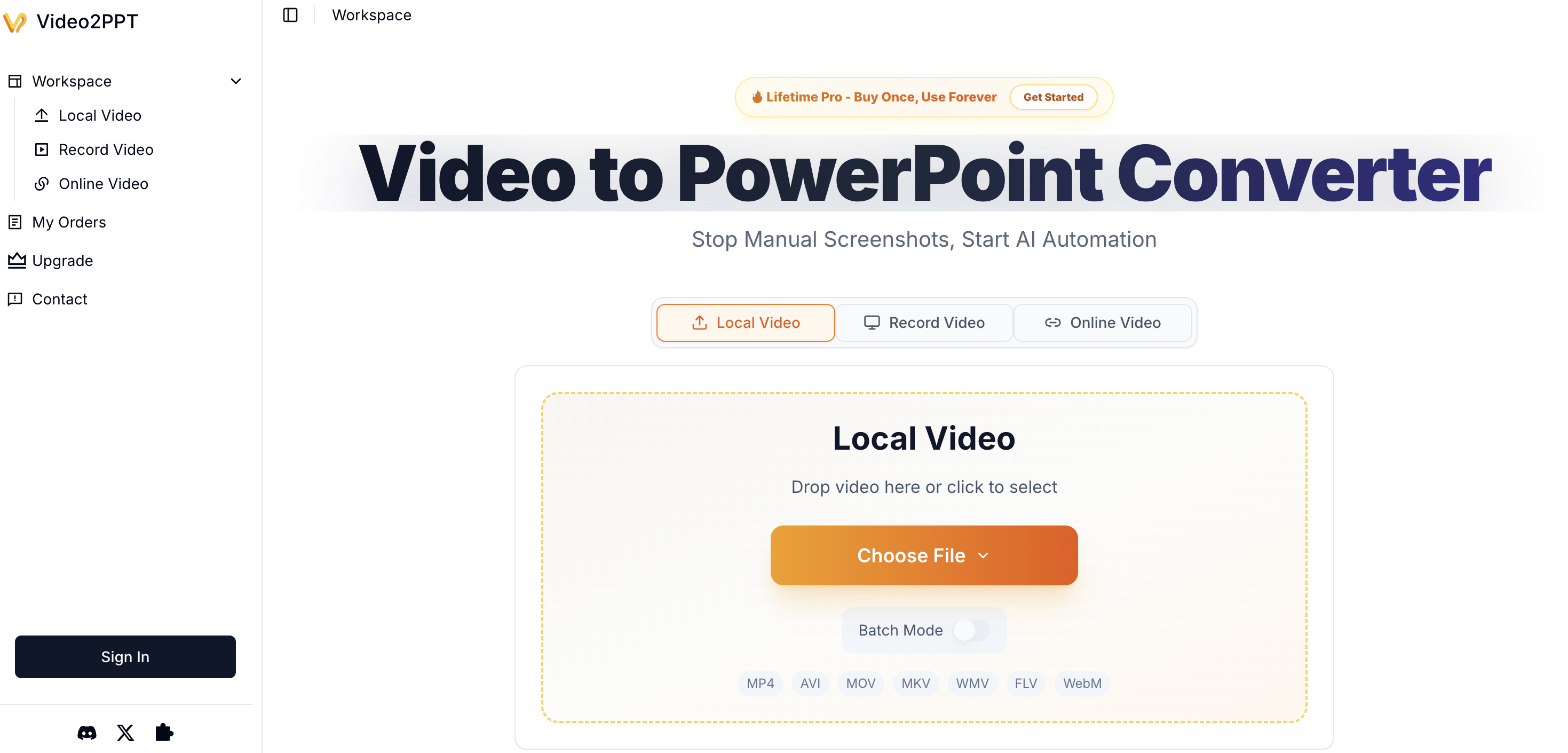
- Transform hours of video content into structured presentations in minutes using AI-powered smart content extraction that identifies and extracts key frames.
- Convert multiple videos at once with batch processing, saving days of manual work on lecture recordings, webinars, and meetings.
- Protect sensitive information with local processing that keeps all video data on your device, ensuring complete privacy and security.
- Work with any video source, from YouTube and Vimeo links to local screen recordings of Zoom, Teams, or Google Meet calls.
- Deliver content in the format you need by exporting directly to native PowerPoint, Google Slides, PDF, or HTML for maximum compatibility.
Pros & Cons
Pros
- Converts video to PowerPoint
- Processes URLs, local files
- Ensures data privacy
- Runs processing locally
- Smart content extraction
- Supports various video sources
- Batch processing feature
- Multiple export format options
- Creates editable PowerPoint slides
- Eliminates need for reformatting
- Improves productivity
- Supports major video platforms
- HD screen recording compatible
- Export to Google Slides
- PDF and HTML exports
- Ideal for multiple professions
- Handles different video qualities
- Processes files offline
- Can record Zoom meetings
- Identifies and extracts key frames
- Capable of high-speed processing
- Trusted by thousands
- Reduces manual work
- Saves considerable time
- Can process 20+ videos
- 99% accuracy rate
- Allows screen recordings
- Locally processed for security
- Extracts slides automatically
- No reformatting required
- Supports all major formats
- Unlimited file size
- Watermark removal feature
- 20 GB video support
- Custom deck creation
- Compatible with YouTube, Vimeo
- No uploading of content
- Handles medical lectures conversions
- Saves hours every week
- Supports various work scenarios
- Text extraction is possible
- Professional plans available
- Handles 50+ splits per day
- Lifetime plan option
- 7-Day Money-Back Guarantee
- Screen capture conversion
Cons
- Limited to PowerPoint formats
- Local processing constraints
- No text extraction capability
- Limited slide extraction (free)
- Watermark on free version
- Hardware dependent performance
- Requires manual export selection
- Lack of third-party integrations
- Limited video editing options
- Indirect process for PDF text
Reviews
Rate this tool
Loading reviews...
❓ Frequently Asked Questions
Video2PPT is an AI-powered tool designed to convert video content into editable PowerPoint slides.
Video2PPT works by processing local video files, URLs, or video recordings. The AI identifies and extracts essential frames from videos and presents them in PowerPoint format.
Video2PPT is used by a variety of professionals, including educators, consultants, marketing directors, and health advisors.
Yes, Video2PPT ensures data privacy. All processing happens locally on the user's device, ensuring that data remains private and secure.
Video2PPT can process videos from diverse sources, including video platform uploads, screen recordings, and from popular platforms like YouTube and Vimeo.
Video2PPT uses smart content extraction, where AI identifies and extracts key frames from your videos, then delivers them in a ready-to-use PowerPoint format.
Yes, Video2PPT has a batch processing feature which allows multiple videos to be converted simultaneously.
Video2PPT can export converted slides to several formats, including native PowerPoint, Google Slides, PDF, or HTML for maximum compatibility.
Yes, Video2PPT is compatible with popular video platforms including YouTube and Vimeo.
Video2PPT enhances productivity by reducing the time spent on manual extraction of information from video content.
Yes, Video2PPT can process screen recordings. It seamlessly records Zoom, Google Meet, Teams meetings, and webinars with automatic slide extraction.
Yes, you can convert videos from URLs using Video2PPT. It supports video links from all major platforms.
There is no hard limit on the size of video files that Video2PPT can process. It supports videos up to 40GB, with the constraint being the device's performance.
Video2PPT helps educators by extracting slides from lecture recordings, enabling students to get study materials quickly. Health advisors utilize the tool to extract wellness tips and nutrition charts from webinars, providing clients with beautifully formatted handouts in minutes.
Video2PPT has a high accuracy rate. The AI catches slides exceptionally well, resulting in impressive accuracy levels.
Video2PPT supports offline processing. All video processing happens on your device, making it possible to work even without an internet connection.
The video processing in Video2PPT is secure. All processing takes place on the user's local device, and at no point does the user's data leave their device.
Video2PPT offers a free plan with core features, a Most Popular 1 Year Pro plan for $49 one-time purchase, and a Lifetime Pro plan for $99.8 one-time purchase.
Yes, Video2PPT supports batch processing, enabling the conversion of multiple videos at once.
Video2PPT saves substantial time by allowing multiple videos to be converted simultaneously. User testimonials have reported time savings from tasks that took 2 days to 2 hours or 6-8 hours to 20 minutes.
Video2PPT employs AI in its smart content extraction feature. This innovative system identifies and extracts key frames from videos and presents them in a PowerPoint format that is readily usable.
Yes, Video2PPT is capable of processing local files, allowing you to upload videos directly from your device.
Video2PPT ensures data privacy by carrying out all video processing locally on the user's device, meaning none of the user's data telecommunications need to be uploaded or stored elsewhere.
Yes, Video2PPT can indeed process URLs and video recordings natively and effectively.
Key features of Video2PPT include smart AI-powered content extraction, compatibility with multiple video sources, HD screen recording, batch processing of multiple videos at once, and offering multiple export options. All these features collectively cater to a broad spectrum of user needs and enable comprehensive usability.
Absolutely, Video2PPT features a batch processing option, this allows users to concurrently convert multiple videos, saving substantial time that would otherwise be spent on individual conversions.
Video2PPT can process videos from a wide range of sources. This includes local files, video URLs, and also recordings from popular video platforms such as YouTube and Vimeo.
Yes, Video2PPT provides the option to export converted slides into several formats like native PowerPoint, Google Slides, PDF, or HTML ensuring extensive compatibility across different platforms.
Typical users of Video2PPT are a varied group of professionals including educators, consultants, sales teams, as well as content creators who often work with recorded content.
Video2PPT enhances productivity by automating the process of extracting information from videos. The tool transfigures lengthy videos into concise, editable PowerPoint slides, streamlining workflows and reducing time spent on manual extraction.
Yes, Video2PPT is cabable of converting any video, irrespective of the source, into editable PowerPoint slides with impressive accuracy and speed.
Yes, Video2PPT can readily process video recordings and convert them into PowerPoint slides.
Yes, indeed. Video2PPT offers a batch processing feature that allows multiple videos to be converted simultaneously, massively reducing the time dedicated to converting videos individually.
Video2PPT offers multiple export options for maximum compatibility across platforms. You can export your video content in native PowerPoint format, Google Slides, PDF, or HTML formats.
Yes, Video2PPT supports local processing, which ensures that all your data remains private and secure. No data is uploaded or stored elsewhere during the conversion process.
Yes, Video2PPT is designed to be readily capable of converting videos from YouTube and Vimeo into editable PowerPoint slides.
Yes, Video2PPT is beneficial for a variety of professionals, including marketing directors and teachers. The tool simplifies the process of transforming video content into PowerPoint format for presentations, teaching aids, marketing collateral, and more.
Yes, Video2PPT is a handy tool for content creation. By enabling conversion of video content into editable slides, it provides a resource-efficient way of creating diverse and engaging content.
The output format when using Video2PPT can be a native PowerPoint file, Google Slides, PDF, or HTML file, based on user preference. All these formats are editable and widely compatible.
Pricing
Pricing model
Freemium
Paid options from
$9.90/month
Billing frequency
Monthly