
Tenorshare AI Math
Overview
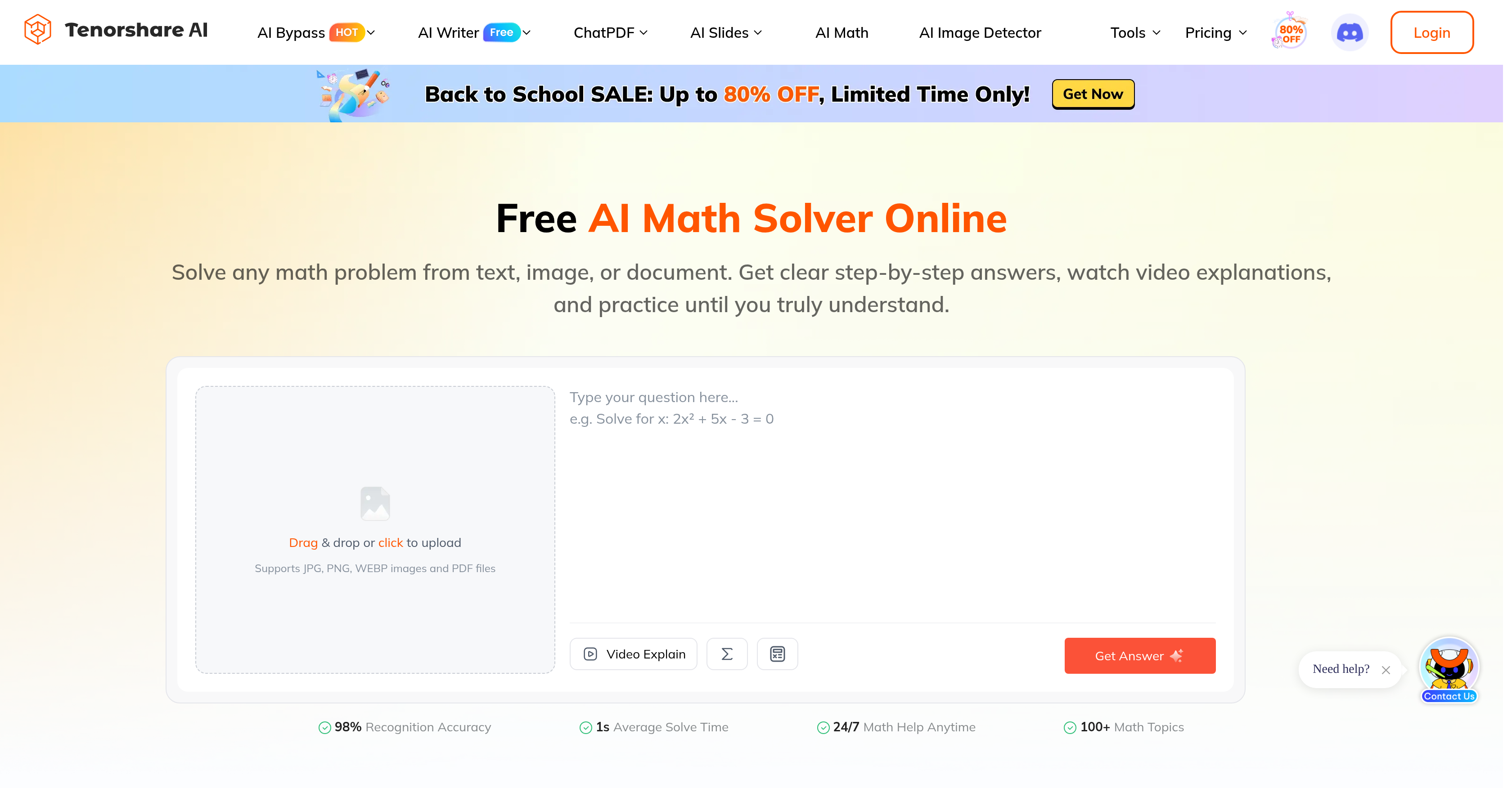
- Get unstuck on any math problem in as little as one second with an AI math solver that delivers instant answers from typed questions, scanned images, or imported documents
- Understand every solution step instead of copying final answers through clear, readable solution logic that explains the method and highlights each transformation
- Turn difficult concepts into quick lessons with video explanations that use visual aids and concept reminders to reinforce the method
- Master each skill by applying what you learn through automatically generated similar exercises for targeted practice
- Upload homework problems in the format you already have them using a math scanner that reads expressions and word problems from photos, documents, or text with 98% recognition accuracy
- Get math help whenever you study thanks to 24/7 availability that removes waiting for a tutor or class time
- Resolve confusion immediately by asking follow-up questions after each solution and video explanation
- Start solving for free with a Try for Free option before deciding whether upgraded features are worth it
Pros & Cons
Pros
- Interprets image, document, text
- Comprehensive solutions
- Provides solution logic
- Highlights transformations
- Supports video explanations
- Generates similar exercises
- Reads expressions and word problems
- Handwritten problem recognition
- Online math tutoring
- 98% recognition accuracy
- 1s Average solve time
- 24/7 math help
- Covers 100+ math topics
- Clear step-by-step guidance
- Personalized practice tests
- Includes visual aids
- Concept reminders
- Accepts pasted questions
- Method explanation
- Import document feature
- Handles JPG, PNG, WEBP, PDF files
- Can interpret clear handwriting
- Free to try
Cons
- Requires clear handwriting
- No offline mode
- Dependent on internet connectivity
- No support for complex notations
- May struggle with ambiguous inputs
- Doesn't support all math topics
- No mobile application
- Limited language support
- Potential for recognition errors
- No real-time tutor interaction
Reviews
Rate this tool
Loading reviews...
❓ Frequently Asked Questions
Tenorshare AI Math covers a variety of mathematical topics but the exact range is not specified on their website.
Tenorshare AI Math uses artificial intelligence to interpret math problems from an image or document. It can read and interpret both expressions and word problems. Optimal results are usually yielded from printed text or clear handwriting.
You can upload your math problem to Tenorshare AI Math either by typing it, scanning it from an image, or importing it from a document.
Tenorshare AI Math provides video explanations that turn the solution into a short, engaging lesson with visual aids and concept reminders for each math problem.
Yes, Tenorshare AI Math can generate similar exercises for practice to support comprehension and practical learning.
Tenorshare AI Math can interpret clear handwritten math problems. However, printed text or clean handwriting usually yields optimal results.
Yes, Tenorshare AI Math can certainly help with your math homework by providing step-by-step guidance and visual explanations. It can solve any math problem instantly.
Yes, Tenorshare AI Math breaks down each math problem into clear, readable solution logic, explaining the method and highlighting the transformations leading to the final answer.
Tenorshare AI Math boasts a recognition accuracy of 98%, as stated on their website.
On average, Tenorshare AI Math can solve a problem in as little as one second.
Yes, Tenorshare AI Math is available 24/7 to provide math help anytime.
First, upload a math photo, paste a question, or import a document. The math scanner reads expressions and word problems. Next, the AI math solver explains the method, shows each transformation, and highlights the final answer. Finally, watch a video explanation, ask follow-up questions, then generate practice problems for the same skill.
Yes, you can use Tenorshare AI Math for free as suggested by the 'Try for Free' option on their website. However, it appears that there may be some additional features or benefits available with an upgrade.
After you upload a problem to Tenorshare AI Math, it breaks down the problem into understandable steps, provides a video explanation, and generates similar exercises for practice.
Yes, after Tenorshare AI Math has provided a solution and explanation, you have the opportunity to ask follow-up questions for better understanding.
Yes, Tenorshare AI Math can interpret both expressions and word problems as part of its problem-solving capabilities.
For optimal results, Tenorshare AI Math recommends using printed text or clean handwriting.
Tenorshare AI Math supports personalized learning by breaking down each math problem into clear, readable solution logic, creating a unique learning path for each user. It provides video explanations and enables users to generate similar exercises for practice.
Yes, Tenorshare AI Math provides both the final answer and the solution steps for each math problem. The AI math solver explains the method, shows each transformation, and highlights the final answer.
Tenorshare AI Math uses visuals and concept reminders in its video explanations to create engaging lessons.
Pricing
Pricing model
Freemium
Paid options from
$4.99/month
Billing frequency
Monthly