
SocialClip Studio
Overview
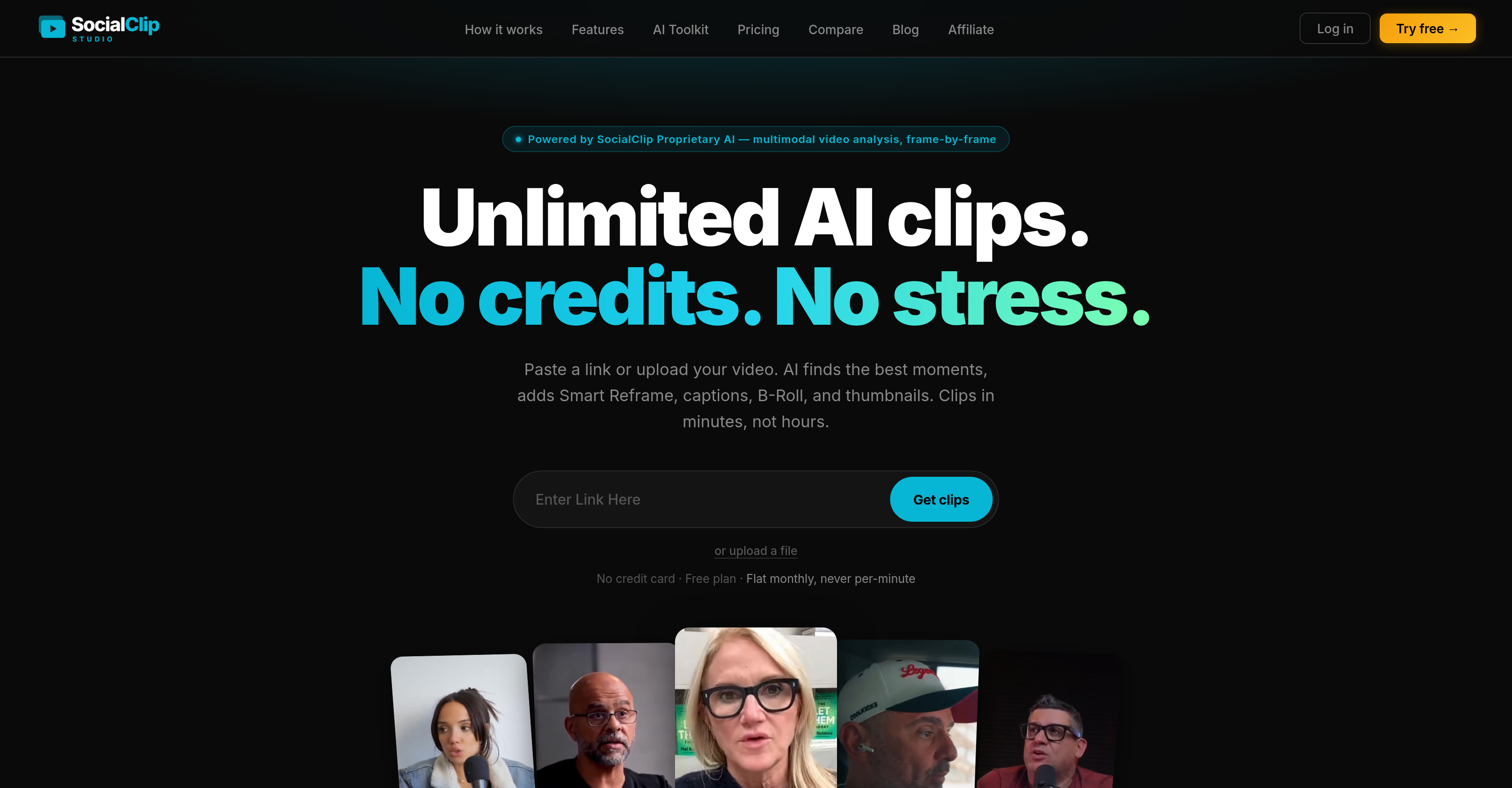
- Publish viral short-form clips directly to TikTok, YouTube Shorts, and Instagram Reels with one-click multi-platform publishing
- Get unlimited clips at a flat monthly rate with no credits or per-minute metering
- Eliminate manual editing by letting AI automatically detect emotional peaks, quotable lines, and visual hooks from any long video
- Grow your audience globally with AI captions in 99 languages synced perfectly to the video timeline
- Keep viewers engaged longer using AI auto-zoom on key moments and silence/filler-word removal for seamless pacing
- Drive more clicks and conversions with face-aware auto-generated thumbnails and custom call-to-action overlays
- Maintain professional framing for mobile-first platforms with Smart Reframe that keeps the speaker centered in 9:16 vertical format
- Save hours of production time by adding relevant B-roll overlays, background music, and context-aware emojis automatically
- Plan your content calendar ahead with built-in scheduling that queues posts across every platform at optimal times
Pros & Cons
Pros
- Turns long videos into clips
- Supports YouTube, Twitch, Kick
- Raw videos into polished shorts
- Smart Reframe for 9:16 cropping
- Multi-language transcription
- Automatic relevant B-roll overlay
- Face-aware thumbnail generation
- Custom call-to-action overlay
- Removes silence and filler words
- Auto emojis addition
- Auto-zooms on key moments
- Background music addition
- Direct publishing on several platforms
- Unlimited clips for flat price
- Viral short clips creation
- Automatic moment selection
- Multiple caption styles
- Direct video upload
- Caption styling customization
- Branding capability
- Real-time transcription
- Scheduled content posting
- 18 selectable caption styles
- 99-language transcription support
- Built-in content scheduler
- Recycles stream clips
- Flat rate, no credit system
- No per-minute billing
- Millisecond precise captions
- Context-aware emojis
- Auto-generated cover with face detection
- Hook, climax, end CTA appearance
- Pick vibe matching brand feature
- Removal of awkward pauses
- Styled thumbnail for every clip
- CTA overlays to drive conversion
- Customizable CTA text, colors, position
- Dynamic zoom on key moments
- Caption styles optimized per platform
- Removes dead air, repetitions
- Scores quotable, shareable segments
- Single price for unlimited clips
- Pick date and time for posting
- No watermark for Starter and Pro plans
- Brand kit for Pro plan
- Publishes automatically in your timezone
Cons
- Uploads videos only
- Limited to 9:16 aspect ratio
- Only vertical video editing
- No editing or scrubbing feature
- B-Roll overlays automatic, immovable
- No detailed video analysis
- Language limitations in transcription
- Limited caption styles
- Only direct publishing to certain platforms
Reviews
Rate this tool
Loading reviews...
❓ Frequently Asked Questions
SocialClip Studio uses AI algorithms to create viral video clips from long-form content. It analyzes the content and selects the best moments for potential virality. The tool also provides a Smart Reframe feature that automatically adjusts the video proportion to fit a 9:16 ratio, keeping the speaker centered. Virality is significantly enhanced using multiple functionalities such as AI-driven captioning, adding relevant stock video via B-roll overlays, auto-generated thumbnails, and the ability to add background music.
SocialClip Studio is compatible with a multitude of platforms including YouTube, Twitch, TikTok, and Kick for sourcing content. For publishing the final clips, it provides direct publishing to platforms such as TikTok, YouTube Shorts, and Instagram Reels.
SocialClip Studio's Smart Reframe feature automatically adjusts the video proportion to fit a 9:16 ratio. Using AI, it detects the speaker and keeps them centered in the video frame. This feature is especially useful for creating content that's optimized for mobile and social media viewing, ensuring the subject stays within the viewer's focus.
SocialClip Studio leverages its proprietary AI for real-time transcription and captioning in various styles. The AI-driven captioning is available in multiple languages to cater to diverse audiences. This transcription isn't just a basic overlay - it also syncs captions perfectly with the video timeline providing a seamless viewer experience.
SocialClip Studio's AI transcription supports 99 languages. This includes commonly spoken languages like English, Spanish, Portuguese, French, German, Japanese, and many more. The wide range of language support ensures content created can cater to a global audience.
The B-roll overlay feature in SocialClip Studio allows for the addition of relevant stock videos to the main video content. Leveraging AI, these overlays are added to keep viewers engaged, while providing additional context or visual interest to the clips.
SocialClip Studio creates auto-generated thumbnails using its AI, which highlights faces and crops images accordingly. The goal is to generate more visually compelling and engaging clip covers that capture viewer attention and improve click-through rates.
Yes, SocialClip Studio provides multi-platform publishing, allowing users to directly publish their clips onto platforms such as TikTok, YouTube Shorts, and Instagram Reels. This feature provides a seamless way to distribute content across platforms and reach a wider audience without manual effort.
SocialClip Studio uses its built-in AI to identify silence and filler words in the video content. Using this information, the tool is capable of removing these bits from the clip, ensuring the final output is concise and engaging. The removal of unnecessary pauses and filler words contributes to a smoother viewer experience and helps keep the video content focused.
SocialClip Studio comes equipped with a scheduling feature. This tool allows users to queue their posts for specific dates and times across every platform. By doing so, users can plan their content strategy ahead of time and ensure consistent content deployment without having to manually post each clip.
To determine the best moments for potential virality, SocialClip Studio's AI algorithm analyzes the content based on factors such as emotional peaks, shocking surprises, quotable lines, and more. It assigns a virality score between 0-100 for each clip, allowing you to see which moments the AI believes are the most likely to go viral.
SocialClip Studio uses AI to automatically add relevant emojis to the video captions. This feature analyses the content and context of the video or its particular segment, and then based on this analysis, appropriate emojis are added, enhancing the expressiveness and engagement factor of the captions.
The Auto Zoom feature in SocialClip Studio employs AI to focus on key moments in the video content. It quickly zooms in on these moments, providing a dynamic viewing experience that draws the viewer's attention to important or interesting parts of the clip.
Yes, SocialClip Studio allows users to upload background music to any clip. This provides an additional element of customization, allowing users to tailor the emotional effect of the clip and make the content more captivating and engaging for viewers.
Yes, SocialClip Studio supports cross-platform video publishing. With its multi-platform publishing feature, you can directly publish your clips onto various social platforms such as TikTok, YouTube Shorts, and Instagram Reels. This allows you to reach your audience across multiple platforms with minimal effort.
The Smart Reframe feature in SocialClip Studio adjusts the video proportion automatically. It uses AI to detect the main focus, often the speaker, in the video and keeps it centered. It adjusts the video proportion to a 9:16 ratio, which is optimized for social media and mobile viewing.
SocialClip Studio employs AI to generate compelling clip covers by cropping images intelligently. The AI algorithm specifically highlights faces and crops images in a way that enhances the appeal and engages the viewer effectively.
Multi-platform publishing in SocialClip Studio is a feature that enables direct publishing of the processed clips onto several popular social media platforms, including TikTok, YouTube Shorts, and Instagram Reels. This eliminates the need for manual upload, saving time and effort for content creators.
The Silence Removal feature of SocialClip Studio is designed to enhance viewer engagement by cutting out portions of the video where no sound is recorded. This is achieved through an AI algorithm which scans through the audio of the video, identifies periods of silence, and automatically cuts them out, ensuring the final clip is seamless and free of dull moments.
SocialClip Studio allows you to create short, viral video clips from longer content sourced from platforms such as YouTube, Twitch, and Kick. These video clips are optimized for virality, with features like AI-driven captioning, Smart Reframe, B-roll overlays, auto-generated thumbnails, silence removal, and the ability to add background music.
SocialClip Studio is an AI-powered tool for creating short video clips from lengthy videos. This platform utilizes AI to ascertain engaging moments from the video and transform them into polished brief clips. It offers comprehensive video editing features such as AI captions, smart reframing, auto-overlay of relevant B-rolls and a face-aware thumbnail generation. Additional features include silence and filler word removal, auto emoji addition, key moment zooming and background music. Users can directly publish or schedule their clips for platforms such as TikTok, YouTube Shorts, Instagram Reels, and Facebook.
No, there is no limit to the number of clips you can create with SocialClip Studio. It offers unlimited clips at a flat monthly rate without any form of credits or per-minute metering.
SocialClip Studio employs its proprietary AI to perform multimodal video analysis. It ‘watches’ the video frame by frame and 'reads' the transcript. It scores each part of the video on a scale of 0-100 for its virality potential by assessing aspects like facial expressions, scene changes, and body language. The AI then selects the highest-scored moments to create the short clips.
SocialClip Studio optimizes content for social media platforms like YouTube, TikTok, Instagram, and Facebook. The tool ensures that the short clips created are suitable for the platform it’s published on, in terms of aspect ratio, engagement potential, and other platform-specific criteria.
Yes, SocialClip Studio can generate captions in multiple languages. The tool's proprietary AI performs transcriptions in 99 languages, with word-level timestamps for perfect synchronization. The translated captions are burned into the clip in the style chosen from amongst 18 caption styles.
SocialClip Studio allows users to directly publish their completed video clips to several platforms with a single click. This multi-platform publishing capability extends to TikTok, YouTube Shorts, Instagram Reels, Facebook, and X. For paid plans, it also offers a built-in scheduler that lets users set a specific date and time for publishing across these platforms.
Yes, with SocialClip Studio, users can add a custom call-to-action overlay to each of their clips. These CTAs can help to drive follows, link clicks, and offers, further improving audience engagement and conversion.
SocialClip Studio enables users to directly publish or schedule their completed video clips on multiple platforms such as YouTube, Twitch, and Facebook.
SocialClip Studio uses the Smart Reframe feature to crop videos to a 9:16 vertical aspect ratio, while ensuring the speaker stays centered. It uses face detection technology to keep the subject in the ideal position, regardless of their movement in the video.
The Smart Reframe feature in SocialClip Studio uses AI and face detection technology to crop and format videos. It maintains a 9:16 vertical crop, ensuring that the speaker remains centered, providing a more aesthetic and professional output regardless of speaker movement in the frame.
SocialClip Studio uses AI to automatically overlay relevant B-roll footage onto the videos. It matches 4.5 second B-Roll clips to keep viewers engaged by providing a visually appealing video that complements the original content.
Yes, SocialClip Studio provides a feature to schedule posts. Users can choose a specific date and time, and SocialClip Studio will publish the video clips automatically. This feature supports multi-platform publishing, allowing users to schedule their posts on various platforms all at once.
SocialClip Studio provides its services based on a monthly or yearly payment plan. Users can choose from three price tiers: Free, Starter, and Pro. The Free plan offers three videos per month while the Starter plan costs $14.95 per month and offers 10 videos per month. The Pro plan provides unlimited videos and AI features for $29.95 per month. There are no per-minute charges or credits, and yearly billing offers a 17% discount.
The video-to-clip conversion of SocialClip Studio is designed to be efficient and fast. It uses AI to watch, interpret, and score content based on the potential virality of each clip within a video. This process accelerates the identification of key moments and thus speeds up the overall conversion process, delivering polished clips promptly.
SocialClip Studio offers automatic styled thumbnail generation for each clip. It uses face detection technology to frame the speaker correctly on the thumbnail, providing a clean, face-centered crop that attracts attention.
Yes, in SocialClip Studio, features such as auto emojis and auto zoom are available which serve to enhance audience engagement. The AI can automatically add context-aware emojis to captions and zoom dynamically on key moments, providing extra visual emphasis and engagement.
SocialClip Studio's AI comprehends the content of the video and not just the audio waveforms. It uses video analysis to detect facial expressions, scene changes, visual hooks, and body language to find the most appealing and shareable segments. This multimodal analysis sets it apart from tools that only detect loud moments or rely solely on audio peaks.
SocialClip Studio offers features such as smart reframing using face detection, 18 different caption styles, AI-generated stylings for thumbnails, and scheduling capabilities to ensure the efficient creation of short videos. What sets it apart is the use of proprietary AI for multimodal video analysis and transcription. It offers unlimited clips, eliminating the credit system, and allows for custom call-to-action overlays for enhanced product promotion.
Multilingual transcription in SocialClip Studio is handled by the platform's proprietary AI, which is capable of transcribing audio in 99 languages with word-level timestamps. This allows it to generate accurate and synchronized captions in the video's original language, making it more accessible to global viewers.
SocialClip Studio allows users to process videos from YouTube, Twitch, and Kick by pasting the video URL into the platform. It also supports direct video file uploads in formats such as MP4, MOV, and WebM. This versatility allows for a wide range of long-form video content to be transformed into dynamic, short-form clips.
Pricing
Pricing model
Freemium
Paid options from
$14.95/month
Billing frequency
Monthly