
Overview
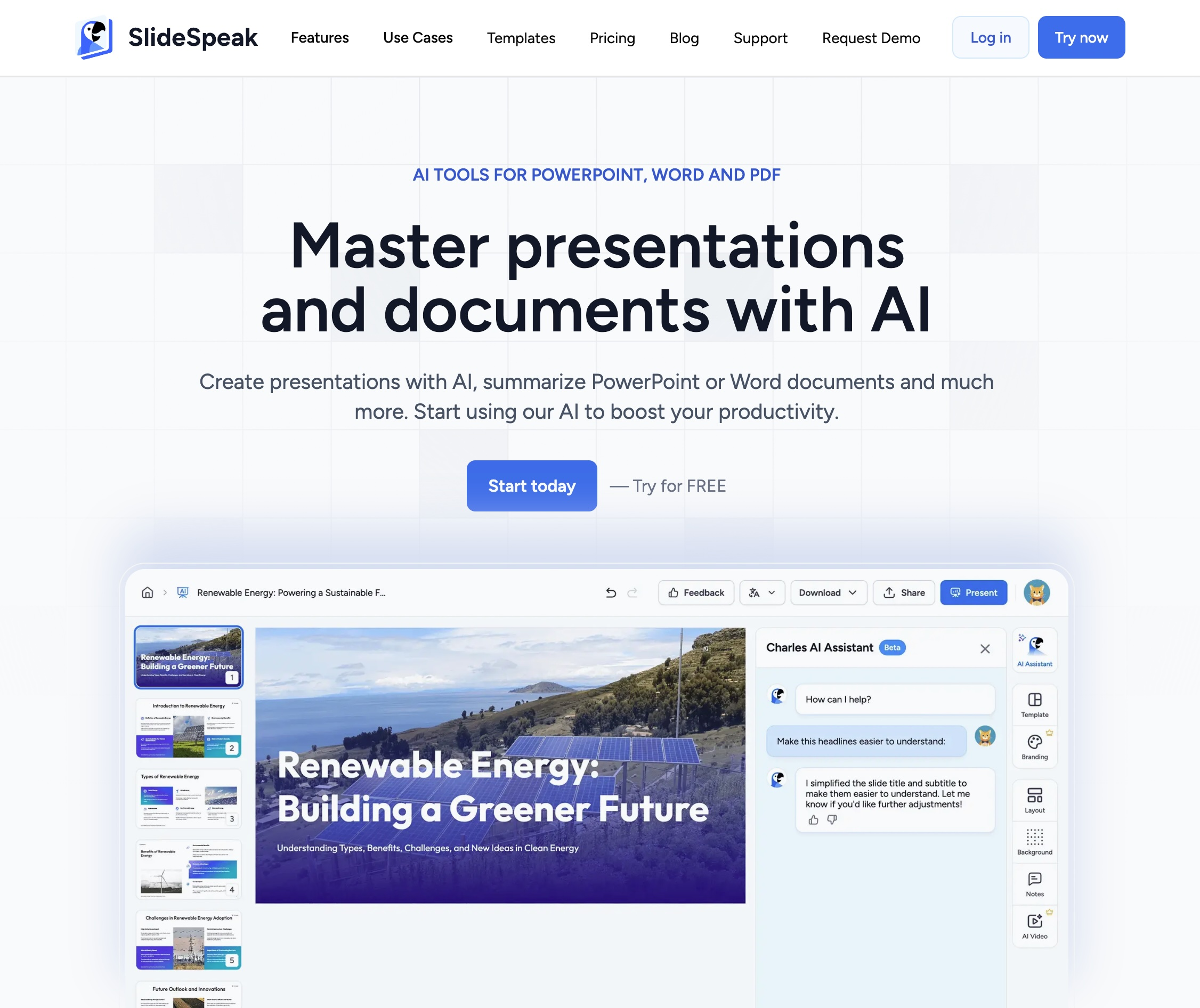
- Get instant answers about your presentation content without manual review using AI-powered chat interface
- Extract clear action items and next steps automatically from your slides with AI analysis
- Generate comprehensive presentation summaries in seconds instead of reading through every slide
- Transform static PowerPoint files into interactive conversations for deeper content understanding
- Maintain data security with fully encrypted storage and no third-party data sharing beyond processing
- Start immediately without financial commitment using the completely free platform with no credit card required
Pros & Cons
Pros
- Interacts with PowerPoint slides
- Create Presentations with AI
- Fully PowerPoint native
- Import existing PowerPoint templates
- Fast results within seconds
- Currently free to use
- Data security encryption
- No customer data sharing
- AI Video from Presentations
- No credit card needed
- Gets action items from presentations
- Downloadable PowerPoints
- Customer data fully encrypted
- Data not shared with third-parties
- Presentations from PDF, Word and other docs
- Create Google Slides with AI
- Seamless PowerPoint chat
- Powerful conversation transformation
- Saves users' work hours
Cons
- Only supports PowerPoint files
- No multi-document support
- Future payment uncertainty
- Limited query capabilities
- Doesn't support real-time collaboration
- No offline functionality
- Supports only PPTX format
- Limited integration options
- No manual refinement ability
Reviews
Rate this tool
Loading reviews...
❓ Frequently Asked Questions
SlideSpeak is an AI-powered chat tool that gives users the ability to interact with their PowerPoint slides. This tool is capable of generating summaries, answering user queries, and identifying action items from presentations.
SlideSpeak functions by having users upload their PowerPoint files to its platform. Then, users can ask any question they have about the content of the slides. The AI engine processes and answers the questions within seconds.
SlideSpeak uses AI technologies, specifically ChatGPT and Llama Index, to process uploaded PowerPoint files, generate summaries, answer questions, or extract action items from presentations.
SlideSpeak has the capability to provide answers about the content of the slides within mere seconds after the user poses a question.
Yes, at present, SlideSpeak is free to use for all users.
Currently, SlideSpeak only supports PowerPoint files, meaning other types of files cannot be processed at this time.
Yes, SlideSpeak intends to support other document types in the future, including Google Slides and PDF files.
SlideSpeak takes data security very seriously. They store all their customer data fully encrypted and they don't share it with any third party. However, during the processing of files, data can be submitted to OpenAI, which powers some of SlideSpeak's technology.
Indeed, it is possible to use SlideSpeak without a credit card. There are no charges currently to use the platform.
Users can upload their PowerPoint files straight to the SlideSpeak platform, where the content is then processed by the AI.
Indeed, SlideSpeak is capable of generating summaries of PowerPoint presentations. It uses AI to process the content and produce the summaries.
There are no specific limitations mentioned on the type of questions that can be asked about the PowerPoint file. Hence, users are free to inquire about any aspect of their slides.
Currently, SlideSpeak does not support uploading and questioning multiple documents at the same time. However, this feature is reportedly under development.
SlideSpeak uses AI technology to identify action items in a presentation, analyzing the content to find tasks or next steps.
While SlideSpeak is currently free, they have stated that this status may change in the future, potentially leading to the introduction of fees for using the platform.
No, SlideSpeak does not share user data with any third party. All customer data is fully encrypted and stored securely, ensuring maximum data protection. Although, they mention that data might get submitted to OpenAI during the processing of files.
When a user makes inquiries about their slides, SlideSpeak's AI provides specific answers based on the content of the slide. It can supply summaries, respond to diverse queries, or outline action items present in the presentation.
SlideSpeak enhances productivity by turning PowerPoint files into interactive conversations. This saves users time by generating summaries, answering questions, and identifying action items directly from their presentations, eliminating the need for manual review.
Pricing
Pricing model
Freemium
Paid options from
$24/month
Billing frequency
Monthly
Refund policy
Refunds are available within 7 days of signup if fewer than 5 presentations are generated. Renewal charges, lifetime plans, and API subscriptions are excluded from refunds.
Related Videos
Create Branded AI Presentations with SlideSpeak
SlideSpeak•121 views•Oct 24, 2025