SkyGen Plus | AI Image Generator
Overview
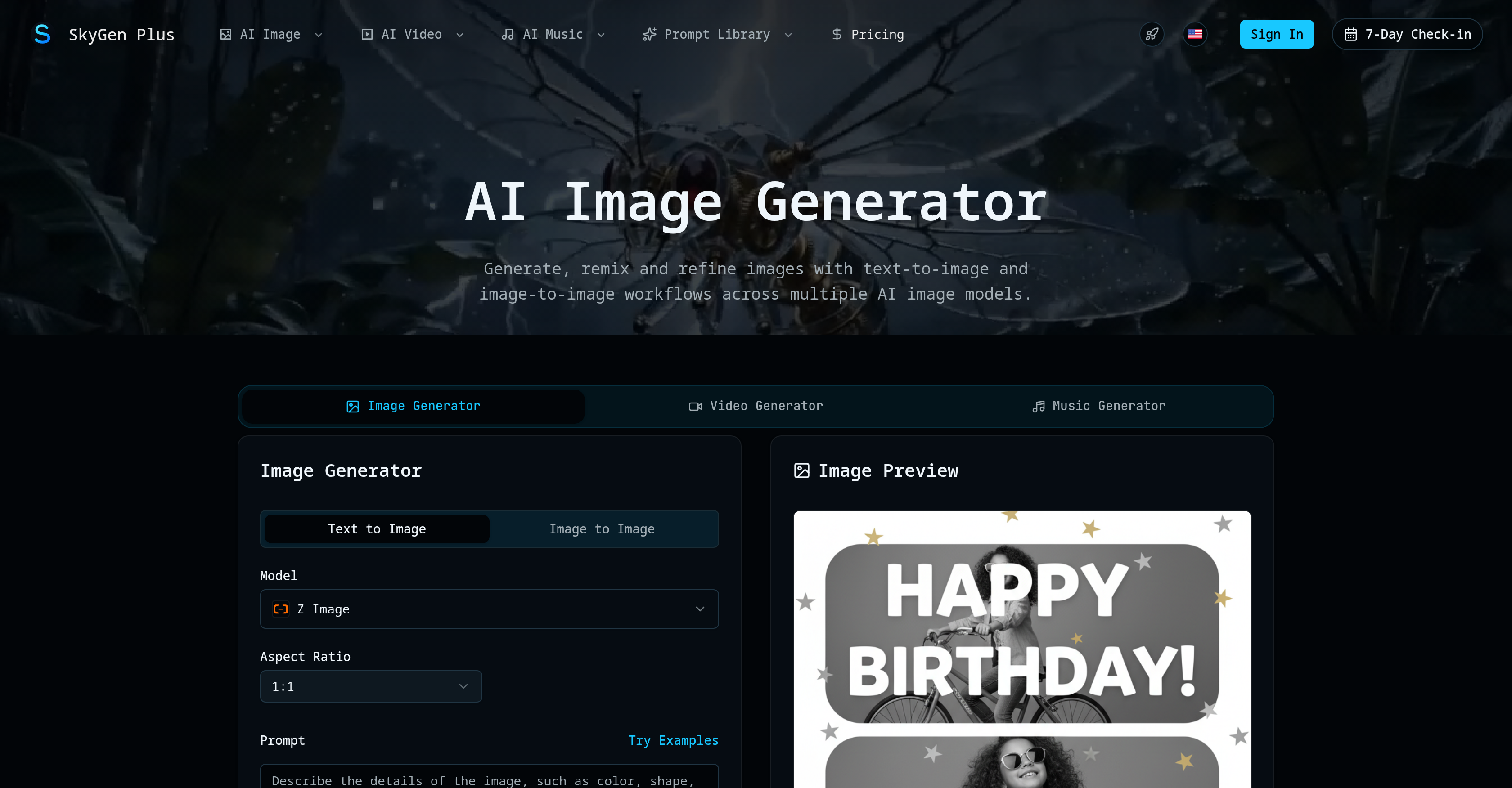
- Generate professional marketing visuals and concept art from text prompts in seconds using models like FLUX.2 and GPT Image
- Refine and remix existing images into customized outputs with the image-to-image workflow, no manual editing required
- Produce short-form videos and original music tracks alongside images using integrated AI engines like Seedance and Suno
- Switch seamlessly between Nano Banana, Seedream, and other AI models to match your creative style without leaving the platform
- Keep credits usable indefinitely with no expiration, ensuring long-term access to newly added generation models
- Showcase your best AI-generated images to a public gallery, building visibility for your work within the creator community
Pros & Cons
Pros
- Comprehensive image generation
- Offers music generation
- Video generation capabilities
- Image-to-Image workflows
- Text-to-Image workflows
- Supports creativity without restrictions
- Public showcase feature
- Versatile use-cases
- Various customisable models
- Extends to music and video
- Includes Nano Banana model
- Includes Seedream model
- Includes FLUX.2 model
- Includes Grok Imagine model
- Includes GPT Image model
- Includes Qwen model
- Includes Z Image model
- Text prompts for customization
- Option to refine images
- Supports image editing
- Members can alter visibility
- Creativity in one place
- Enables remixing of images
- Image preview before downloading
- Offers cost in credits
- Allows reference usage
- Facilitates image to video transitions
- Featured on multiple platforms
Cons
- Requires membership for features
- Not primarily designed for videos/music
- Limited text prompting options
- Public showcasing not optional
- No creative freedom with models
- No explicit sharing features
- Focused on image generation only
- No mention of user support
- Mentioned cost but not specific
Reviews
Rate this tool
Loading reviews...
❓ Frequently Asked Questions
SkyGen Plus is a comprehensive multi-model AI platform primarily designed for image generation, complemented by capabilities for generating music and videos.
The primary functions of SkyGen Plus are image generation, music generation, and video generation. It allows users to generate images from text prompts or edit and remix images via image-to-image workflows using various AI models.
SkyGen Plus uses various models for image generation. These models include Nano Banana, Seedream, FLUX.2, Grok Imagine, GPT Image, Qwen, and Z Image.
In SkyGen Plus, the text-to-image workflow functions by transforming textual descriptions into visual forms. Users provide text prompts which the chosen AI model uses to generate corresponding images.
The image-to-image workflow in SkyGen Plus allows users to edit and refine pre-existing images for customized output. It essentially involves the transformation of an inputted image to deliver an enhanced or altered output, backed by AI.
Yes, SkyGen Plus does allow customization of the images generated. With the image-to-image workflow, users can edit and refine the generated images according to their needs.
The public showcase feature in SkyGen Plus is a feature that enables users to make their generated images visible to others. It’s a platform where users can showcase their AI-generated work and others can view it.
Yes, you can use SkyGen Plus to generate not only images but also create music and video content using various AI models.
The examples of AI models used for music and video generation in SkyGen Plus include Seedance 2.0, Kling 3.0, Wan 2.7, Grok Imagine Video, Veo 3.1, and HappyHorse 1.0 for videos, and Suno V5.5, Suno V5, and Suno V4.5 among others for music generation.
To create images from text prompts in SkyGen Plus, you simply input your desired text into the platform. The system's AI-driven models then interpret this text and generate an image that reflects the content of the prompt.
Nano Banana is one of the AI models used in SkyGen Plus for image generation tasks. However, specific functionalities of the Nano Banana model aren't disclosed on their website.
FLUX.2 is another AI model used in SkyGen Plus for image generation. The specifics of how the FLUX.2 model works aren't disclosed on their website.
Qwen is one of the AI image generation models used in SkyGen Plus. However, the specific application or functionality of the Qwen model in the platform isn't disclosed on their website.
Yes, you can edit pre-existing images with SkyGen Plus using its image-to-image workflow feature.
Grok Imagine is one of the AI models used for image generation in SkyGen Plus. The specifics of how the Grok Imagine model functions aren't mentioned on their website.
SkyGen Plus transforms textual descriptions into visual forms via its text-to-image workflow. Users provide the platform with text prompts and the chosen AI model generates corresponding images.
Z Image is one of the models used in SkyGen Plus for image generation. The specifics about the Z Image model and its functionality aren't disclosed on their website.
Yes, you can make your generated images visible to the public in SkyGen Plus using the public showcase feature.
The public showcase feature is accessible only by members of the SkyGen Plus platform. Therefore, only members can view the public showcase of images.
While SkyGen Plus is primarily designed for image generation, it has capabilities to generate music and videos as well. However, these functionalities are an add-on and do not appear to be the primary focus of SkyGen Plus.
SkyGen Plus image generation works by leveraging various AI models such as Nano Banana, Seedream, FLUX.2, Grok Imagine, GPT Image, Qwen, and Z Image. Using these models, users can input text prompts that are then transformed into images, or they can edit existing images.
SkyGen Plus provides multiple AI models for image generation including Nano Banana, Seedream, FLUX.2, Grok Imagine, GPT Image, Qwen, and Z Image.
The text-to-image workflow in SkyGen Plus allows users to create images from text prompts. That is, users input textual descriptions which the AI models then transform into visual forms.
The image-to-image workflow in SkyGen Plus allows users to edit and refine pre-existing images for customized output, enabling them to remix pre-existing images according to their needs.
In SkyGen Plus, the editing of pre-existing images is aided by image-to-image workflows assisted by AI models. Users can refine and customize the images according to their requirements.
The public showcase feature in SkyGen Plus serves as a platform where images generated by users can be made visible to the public. It helps to display the latest creative output of platform members, serving as a public gallery of sorts.
Beyond image generation, SkyGen Plus offers additional functionalities for generating music and videos. These functions extend its utilitarian usage as a comprehensive AI platform, although the primary focus is on image generation.
SkyGen Plus is versatile in AI image generation due to the range of AI models it employs like Nano Banana, Seedream, FLUX.2, Grok Imagine, GPT Image, Qwen, and Z Image. These models, in conjunction with text-to-image and image-to-image workflows, enable a wide range of creative possibilities.
The Z Image model under SkyGen Plus forms part of the array of AI models used for image generation. Specific details about its functionality are not provided; however, like other models, it contributes to the overall image creation process by turning prompts or pre-existing images into visually appealing creations.
SkyGen Plus caters to different use-cases and creative needs by providing a range of AI models and workflows. Users have the flexibility to use text prompts or edit pre-existing images, and the choice of AI models broadens the scope of creative possibilities.
To generate images from text prompts on SkyGen Plus, users need to input their desired text into the prompt field. The AI model then interprets these prompts and generates an image that corresponds to the textual description.
To remix and refine images with SkyGen Plus, users use the image-to-image workflow. They upload a pre-existing image which is then processed by the AI model, allowing the user to refine and customize the image according to their requirements.
The precise details of images that can be generated using the Nano Banana model in SkyGen Plus are not available. However, like other models, Nano Banana aids in generating visuals based on user inputs either via text prompt or from an existing image.
Specific details regarding the distinct functionalities of the GPT Image model in contrast to other models in SkyGen Plus are not provided. However, GPT Image is one of the AI models used in image generation on the platform.
To make generated images visible for public viewing in SkyGen Plus, users use the public showcase feature. An option to keep the generated image visible in the latest public showcase is provided, which, when activated, allows the image to be publicly viewable.
Pricing
Pricing model
Freemium
Paid options from
$8.30/month
Billing frequency
Monthly