
Seavid AI | Image to Video Generator
Overview
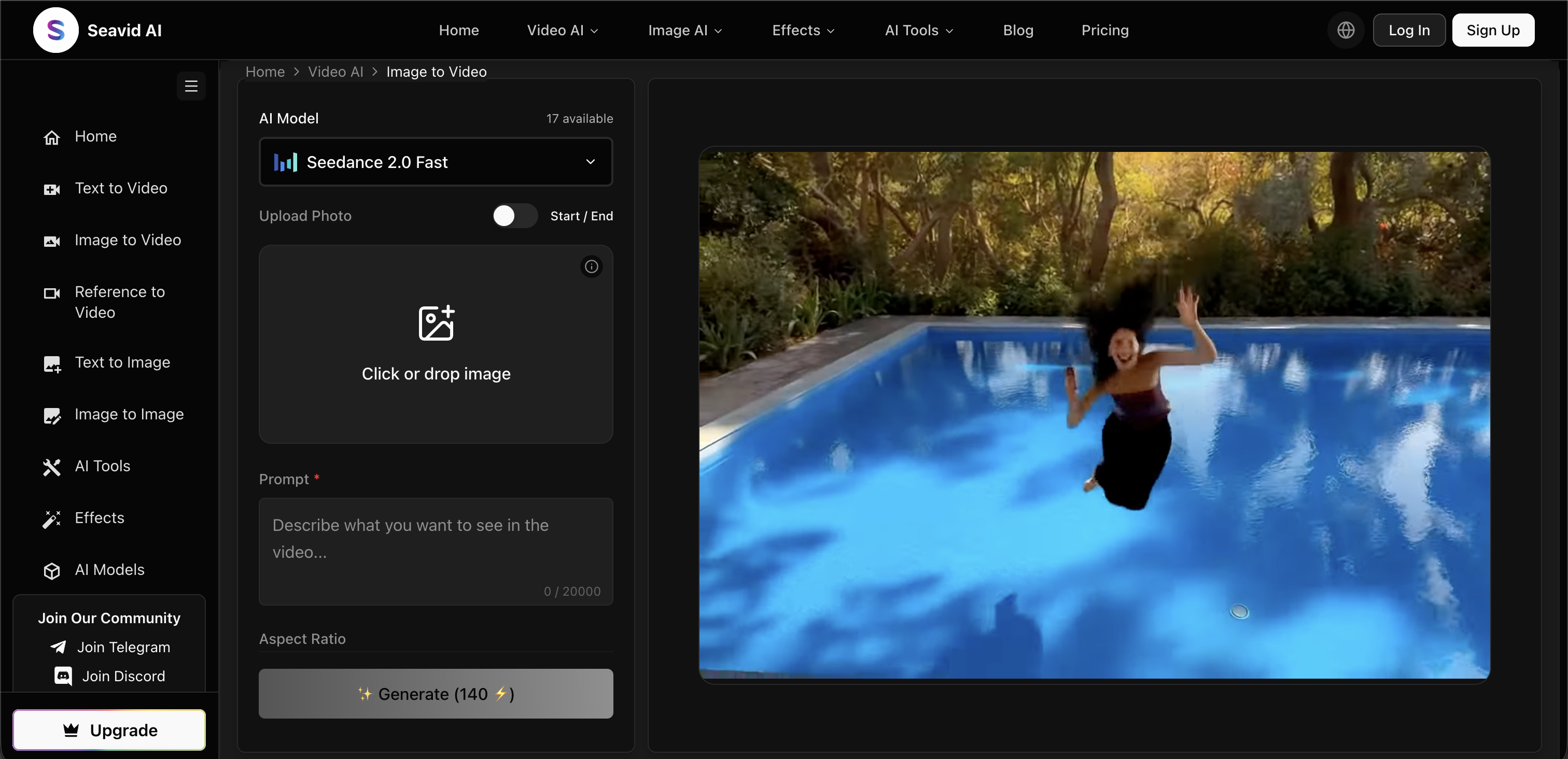
- Launch polished product demos and launch visuals by turning a single photo into a short video that preserves subject, lighting, and brand style
- Generate engaging social media clips optimized for TikTok, Instagram, and YouTube Shorts from a reference photo while preserving identity and style
- Create multi-shot video stories from natural language descriptions of scenes, characters, and camera movements without any manual editing
- Produce high-resolution images from text prompts for thumbnails, key art, storyboards, or reference frames for later video generation
- Restyle, enhance, or transform uploaded images while maintaining structure and subject identity for brand-style matching or polished artwork
- Remove backgrounds or watermarks from photos with one-click AI effects, leaving the original image untouched and ready for use
- Edit images with AI-driven enhancements and brand-style matching, turning rough drafts into polished artwork
- Auto-generate short stylized video clips from uploaded photos using pre-set AI video effect templates with automated motion and transitions
- Achieve quick creative iteration by testing hooks, camera moves, scene endings, and product angles rapidly before finalizing the strongest version
Pros & Cons
Pros
- All-in-one suite
- Text to Video
- Image to Video
- Text to Image
- Image to Image
- No manual editing
- Depth, lighting, texture analysis
- High-resolution image generation
- Background removal
- Watermark erasure
- Image editing
- Product shots
- Portraits
- Social clips
- Thumbnail creation
- Auto-generated short clips
- Step-by-step creation process
- HD output
- Data Security
- Data Privacy
- Creative Iteration
- Transform ideas into videos
- Multishot Video Stories
- Audio Synced Clips
- Image Transformation
- Restyle Images
- Enhance Images
- Image Sequence Generation
- Social Media Content Creation
- Product Visuals
- Product Demos
- Video Posters
- Video Stories
- Multiple application compatibility
- Optimized content for TikTok
- Optimized content for Instagram
- Optimized content for YouTube
- Automated style matching
- Brand consistent image editing
- Automated motion & transitions
- 1080p HD Video Output
- Fast Creative Iteration
- Secure & Private Creation
- Multi-Scene Video Generation
- Consistent Character & Style
- Text, Image, & Audio Inputs
Cons
- No offline mode
- Overwhelming tool suite
- Multiple steps for generation
- No mobile app
- Restricted to 1080p output
- Possible sync issues with audio
- Unclear data retention policy
- Detailed prompts required
- No real-time video editing
Reviews
Rate this tool
Loading reviews...
❓ Frequently Asked Questions
Seavid AI stands out from other AI tools with its powerful AI-driven image and video creation capabilities. It unifies a range of cutting-edge AI models and tools, allowing you to convert text into coherent videos, create high-resolution images from textual prompts, or even transform pictures into videos. The breadth of AI models, such as Seedance 2.0, Seedance 1.5 Pro, Seedream 4.5, and Seedream 5.0, used at Seavid AI offers distinctive and quality results.
Seavid AI's Text to Video feature is powered by AI models that allow users to describe scenes, characters, and camera movements in natural language. This is then converted into a full-fledged, coherent multi-shot video. The whole process takes place without any manual editing, making it a seamless experience for users.
Seavid AI's Image to Video feature can be used for various purposes such as creating product hero shots, dynamic portraits, and compelling social clips. It can transform a single reference photo into a short AI-generated video by analysing depth, lighting, and texture.
Yes, Seavid AI can indeed generate images from text. Using AI models, it can convert text prompts into high-resolution images, suitable for a range of applications such as creating thumbnails, key art, storyboards, or reference frames for later video generation.
Seavid AI's Image to Image feature can be utilized to restyle, enhance, or transform uploaded reference images. It maintains the structure and subject identity, proving ideal for brand-style matching, background changes, and turning rough drafts into polished artwork.
Seavid AI offers a suite of AI Image and Video Effects & Tools. These include one-click AI image effects like background removal, watermark erasure, and image editing. In the realm of motion pictures, Seavid AI can auto-generate short stylized clips from uploaded photos using AI video effect templates.
Seavid AI employs advanced AI technologies for background removal. With one-click AI image effects, users can remove backgrounds from their photos quickly and efficiently.
Seavid AI utilizes its proprietary AI tech for watermark erasure. The tool effortlessly detects and clears watermarks, leaving the original image untouched and enhancing image usability.
Absolutely, Seavid AI provides a robust platform for image editing. You can apply AI-driven enhancements, apply brand-style matching or transform rough drafts into polished artwork, all while maintaining the original structure and subject identity.
Seavid AI deploys AI image models to improve video thumbnails. It can generate high-resolution images from textual prompts that can serve as compelling thumbnails, perfect for catching viewer's attention.
Yes, Seavid AI can auto-generate short video clips from uploaded photos. This is achieved using pre-set AI video effect templates, creating stylized clips with minimal user input.
Creating with Seavid AI involves three steps. You begin by writing a clear prompt, which outlines the subjects, setting, mood, and actions. The AI then generates and refines the idea into a coherent multi-shot sequence with dynamic camera work. Finally, users can preview the results and download high-definition output optimized for their target platform.
Seavid AI is powered by the leading AI models such as Seedance 2.0, Seedance 1.5 Pro, Seedream 4.5, Seedream 5.0. These different models offer a multitude of features ranging from text to video, image to video, text to image, and image to image.
Yes, Seavid AI can indeed be used for enhancing e-commerce images. Its AI image tools can be used to clean up or relight photos, remove backgrounds, clear watermarks, or batch-process assets, all while maintaining resolution.
Absolutely, Seavid AI offers comprehensive video and image solutions all in one unified platform. It leverages the power of AI to provide a range of features such as image editing, AI effects, video effects, text to video, and more.
Seavid AI utilizes advanced AI for multi-shot video generation. Users can describe scenes, characters, and camera movements in natural language and the AI can then convert them into coherent multi-shot videos without the necessity for manual editing.
Yes, the Image to Video tool in Seavid AI is perfect for creating social media clips. By uploading a single reference photo, users can animate their subject while preserving identity and style, creating engaging social clips.
Absolutely, Seavid AI can be used for creating product shots. Its Image to Video feature can transform a single product image into a short, appealing video by analysing depth, lighting, and texture.
An AI-driven image and video generator like Seavid AI can be extremely useful in a variety of scenarios. It offers a streamlined process of turning a text or image prompt into professional-quality videos or images. The tools provided can enhance images for e-commerce, create engaging social media content, or produce multi-shot videos from simple text descriptions.
Seavid AI uses pre-tuned AI video effect templates to generate short video clips. Users upload one or two images, choose a template, and let the system handle motion, style, and transitions automatically to produce a visually appealing video clip.
Seavid AI is an AI-driven image and video generator. It leverages AI models such as Seedance 2.0, Seedance 1.5 Pro, Seedream 4.5, and Seedream 5.0. It offers features like Text to Video, Image to Video, Text to Image, and Image to Image. It also provides AI Image and Video Effects & Tools such as background removal, watermark erasure, and image editing. The platform assures high-definition output, quick creative iteration, and data privacy and security.
The Text to Video feature in Seavid AI allows users to generate videos from descriptions. Users can describe scenes, characters, and camera movements using natural language, and the AI will convert those into a multi-shot video without the need for manual editing.
The Image to Video feature in Seavid AI transforms a reference photo into a short AI-generated video. It creates an analysis of depth, lighting, and texture, which is especially useful for product shots, portraits, and social media clips.
The Text to Image feature in Seavid AI allows users to generate high-resolution images from text prompts. It uses AI models to produce multiple variations of a single image based on the described style, lighting, and composition.
The Image to Image feature in Seavid AI uses advanced AI models to transform, restyle, or enhance uploaded images. It allows users to produce polished artwork or generate different brand-style matching images from an original picture.
Seavid AI offers AI Image and Video Effects & Tools to enhance media content. Image effects include background removal, watermark erasure, and image editing. AI Video Effects and Tools include the generation of short video clips from uploaded photos using pre-set templates with automated motion, style, and transitions.
Using Seavid AI involves writing a clear prompt, generating the media with AI, refining the output, then exporting and sharing the final output. These steps are applicable whether input is text, image, or audio.
The Seedance 2.0 AI Video Maker in Seavid AI offers video generation capabilities from text, images, and audio. It handles multi-shot video stories, shapes audio-synced clips, and forms product visuals, posters, and reference frames. It operates with text, image, and audio prompts for video generation.
Yes, Seavid AI can generate engaging clips specifically optimized for social media platforms such as TikTok, Instagram, and YouTube Shorts. It can produce multi-shot story flows and image models for thumbnails or campaign stills that match the same creative direction.
Seavid AI assists in creating product demos and launch visuals by turning a product photo, campaign concept, or reference frame into a short video that preserves subject, lighting, and brand style. It adds natural motion and camera movement for more professional presentation.
Yes, with the Image to Image AI models available in Seavid AI, users can upload their images and restyle, enhance, or transform them while preserving their structure and subject identity.
Yes, users can remove a background or watermark from an image in Seavid AI. The AI Image Effects & Tools include the AI Background Changer and the Watermark Remover for these tasks respectively.
Creating a Seedance 2.0 video in Seavid AI follows a simple process: first, start with either text, image, or audio. Then, generate a multi-shot sequence using Seedance 2.0. The output can then be refined, previewed, and downloaded as a high-definition output for sharing purposes.
Yes, Seavid AI assures data security and privacy. The platform processes prompts and generated videos securely, ensuring they remain private to the user's account.
The output videos and images on Seavid AI are of high quality. The platform's AI models generate high-definition outputs suitable for social media posts, ads, product pages, presentations, and campaign drafts.
Yes, Seavid AI can generate multi-shot video stories. Using the Seedance 2.0 AI Video Maker, the platform can produce videos with multiple connected scenes and smooth transitions.
To write a good prompt in Seavid AI, you should define the subject, setting, action, mood, camera, and ending. If you need stronger identity, rhythm, or style control, you can add a reference image or audio cue.
Yes, Seavid AI works with audio inputs. Along with text and image prompts, users can also use audio cues in the workflow when rhythm and timing are needed.
Yes, Seavid AI allows for the creation of high-definition outputs. The platform ensures 1080p HD video outputs suitable for a range of uses such as social media posts, ads, product pages, presentations, and campaign drafts.
Yes, Seavid AI supports quick creative iteration. Users can test hooks, camera moves, scene endings, and product angles rapidly before finalizing the strongest version.
Pricing
Pricing model
Freemium
Paid options from
$23.99/month
Billing frequency
Monthly