
Overview
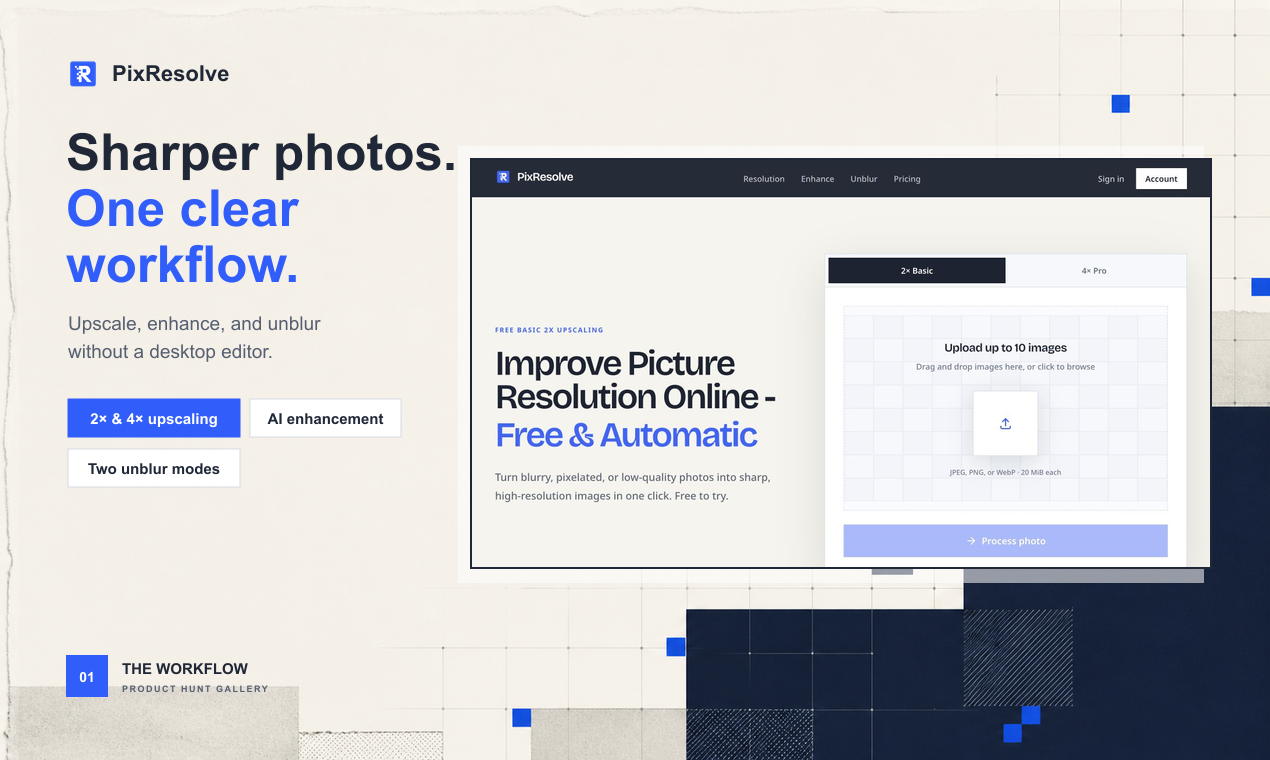
- Turn blurry, pixel-stretched photos into sharp high-resolution images by uploading JPEG, PNG, or WebP files for automatic AI upscaling
- Achieve 2x or 4x image resolution without complicated editing, downloading ready-to-use enhanced photos instantly
- Process up to 10 images in a single session, saving time when upscaling entire photo batches at once
- Keep every uploaded photo private through secure storage with original filenames stripped and files deleted after 24 hours
- Verify the quality improvement yourself by comparing the optimized image against the original source before downloading
- Skip account creation entirely and start upscaling photos immediately with no signup required
- Get tailored image editing suggestions for online editors or professional desktop software when further refinement fits your use case
Pros & Cons
Pros
- Enhances picture resolution
- Converts low-quality photos
- Provides 2x and 4x upscaling
- User-friendly interface
- Supports JPEG, PNG, WebP
- Offers image editing suggestions
- Secured storage for privacy
- Image comparison feature
- Does not reconstruct identity
- Boosts overall image quality
- Automated upscaling process
- Automatic image enhancement
- Detailed before-after comparison
- Supports batch processing
- Does not require manual editing
- Access to optimized images for 24 hours
- Removes source metadata for privacy
- Operates entirely online
- Drag and drop functionality
- Preview image before downloading
- Does not watermark images
- Supports image up to 20 MiB
- Responsive customer service
- Process images in one click
- Instruction guide on website
- Downloadable enhanced images
- Processes multiple images simultaneously
- Ensures edges and texture detail
- Restores softened edges
- Prevents unnecessary enlargement
- Decodes image before processing
- Runs selected fixed-version upscaling model
Cons
- Limited to JPEG, PNG, WebP
- 10 images upload limit
- 24-hour access window only
- No identity detail reconstruction
- Limited upscaling options (2x, 4x)
- Doesn't support bulk processing
- No API
- No offline mode
- Unclear pricing structure
Reviews
Rate this tool
Loading reviews...
❓ Frequently Asked Questions
PixResolve is an online AI tool designed to enhance picture resolution. It turns blurry, pixel-stretched, and low-quality photos into sharper, high-resolution images. It maintains user privacy by keeping uploaded images private and secure. PixResolve does not reconstruct identity details but emphasizes boosting overall image quality. In addition, it provides users with image editing suggestions.
PixResolve uses a fixed AI model to upscale the photos. Users upload JPEG, PNG, or WebP images onto the platform and select either 2x or 4x upscaling for their photos. After the upscaling process, the images become ready for download without any complicated editing processes required. Users can compare optimized images with the original source, and they have a 24-hour access window to download the images.
PixResolve supports JPEG, PNG, and WebP image formats.
In order to maintain user privacy, PixResolve sends uploaded images directly to private and secure storage. Any personal details, including the original filename, are excluded from the private object key. PixResolve then validates the image before starting the upscaling process. Source and result images remain private and are deleted after 24 hours.
You can upload up to 10 images on PixResolve for processing.
No, PixResolve does not reconstruct identity details in an image. Its primary focus is to improve the overall image quality.
PixResolve provides 2x and 4x upscaling for images.
Yes, PixResolve provides image editing suggestions for users looking to improve their images using online image editors or professional desktop software.
Upscaled and optimized images can be accessed and downloaded on PixResolve within a 24-hour window.
The upscaling process on PixResolve uses a fixed AI model. Once an image is uploaded in an acceptable format, PixResolve validates the image and then begins the upscaling process. After the image is upscaled, it becomes ready to download.
PixResolve uses AI to enhance the quality of low-res pictures. The tool turns blurry, pixel-stretched, and low-quality photos into sharper, high-resolution images.
Yes, PixResolve allows users to compare the optimized image with the original source. This allows users to see the before-and-after difference in image quality.
PixResolve handles pixel-stretched images by upscaling the picture and enhancing its quality through a fixed AI model. The algorithm increases image resolution, thereby converting low-quality, pixel-stretched images into sharper, high-solution ones.
The limitations of PixResolve with respect to image enhancement lie in its ability to only upscale images and improve quality, but it cannot add detail that was not captured by the camera. Also, PixResolve does not reconstruct identity details.
Yes, PixResolve can definitely improve the resolution of blurry images. The AI model used by PixResolve enhances the resolution of photos, effectively turning them from blurry to sharp and high-resolution.
Although PixResolve is classified as a restoration tool, it does not reconstruct identity details. Its main focus lies on improving overall image quality rather than restoring details.
The user interface of PixResolve is designed to be user-friendly. Users can easily upload images, choose between 2x and 4x upscaling options, and download the resulting images after processing. The interface also allows users to compare the optimized images with the original source.
PixResolve uses a fixed AI model for upscaling images. This model allows the tool to upscale and improve the quality of uploaded images without requiring any complicated editing strategies.
Yes, PixResolve supports automatic enhancements of images. The AI model used for upscaling can result in a ready-to-download image without necessitating any complicated editing on the user's end.
PixResolve utilizes AI by using a fixed AI model to upscale and enhance the quality of images. Through AI, it can convert blurry, pixel-stretched, and low-quality images into sharper, high-resolution variants.
Pricing
Pricing model
Freemium
Paid options from
$7.50/month
Billing frequency
Monthly