
Inkfox AI
Overview
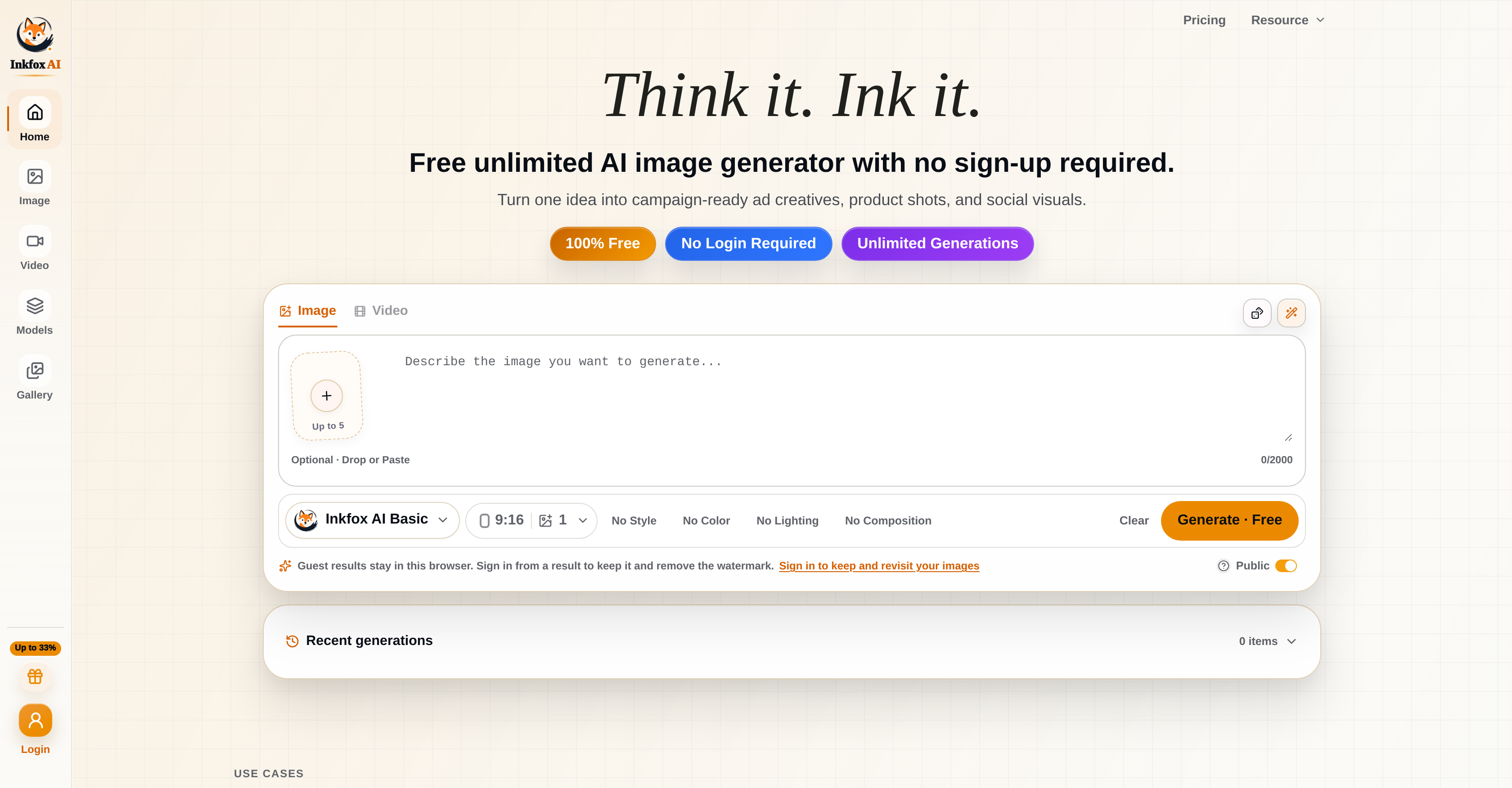
- Launch campaign-ready ad creatives instantly using text-to-image and text-to-video conversion, powered by proprietary models like Nano Banana 2.0 and Flux.
- Edit any image in seconds with background removal, image-to-image editing, and image upscaling that preserves quality without distortion.
- Produce professional headshots, custom logos, anime art, coloring pages, and stickers from simple text descriptions using dedicated generators.
- Preview eyewear digitally with the virtual try-on for glasses and sunglasses, enabling confident purchase decisions before buying.
- Generate unlimited images and videos without ever signing up, keeping your work private and stored only in your browser during the session.
- Turn low-resolution images into high-quality visuals with the upscaling feature, avoiding the typical distortions of manual enlargement.
- Convert text or existing images into dynamic video content for social media, product demos, or brand storytelling without video editing skills.
Pros & Cons
Pros
- Free unlimited generation
- No sign-up needed
- Supports variety of transformations
- Text-to-image conversion
- Image-to-image editing
- Background removal feature
- High-quality image upscaling
- Video generation supported
- Text-to-video conversion
- Image-to-video conversion
- Extensive proprietary models
- Virtual try-on glasses feature
- Logo generator tool
- Anime generator included
- Coloring page creator
- Headshot generator function
- Sticker generator function
- Clear terms of service
- Clear privacy policies
- Maintains user image history
- Image storage in browser
- Campaign-ready ad creator
- Generates social media visuals
- Nano Banana 2.0 model
- GPT Image 2.0 model
- Flux model
- Seedream model variants
- First month discounts
- Privacy-focused
- Comprehensive suite of tools
- Watermark remover feature
- Image restoration tool
- Product shot design tool
- No login required
- Creates 3D models
- Unlimited generations
- Model variety for tasks
- Merge images feature
- Background changer tool
- Product video creation
- Old photo video creation
- Real estate video tool
- Food video generation
- Travel video generation
- Portrait video tool
- Dance video creation
- Feature request opportunity
- Frequently asked questions provided
- User convenience prioritized
- Can create ad creatives
Cons
- Complicated user interface
- Too many features
- Lack of customer support
- Dependent on internal models
- Unlimited features may overwhelm
- No mention of personalized adjustments
- Potential browser storage problems
- No sign in may hinder tracking
- Dependent on promotional codes
- Unclear about data privacy
Reviews
Rate this tool
Loading reviews...
❓ Frequently Asked Questions
Inkfox AI is a multifunctional platform for generating and editing images and videos. This Artificial Intelligence powered tool supports a wide selection of transformation tasks, including but not limited to text-to-image conversion, image-to-image editing, and background removal. The platform is equipped with proprietary models aimed at performing specific tasks, thereby enhancing its versatility. Other features on offer include a virtual try on for glasses and sunglasses, a logo generator, anime generator, coloring page creator, and headshot and sticker generator, among others.
Yes, Inkfox AI can indeed be used free of charge. It is an unlimited AI image and video generator platform that doesn't require any form of payment for usage.
No, creating an account is not a necessity to use Inkfox AI. The platform allows guest users to generate and edit images and videos without signing in. However, those who sign in have the advantage of keeping and revisiting their images.
Inkfox AI brings a handful of features for image generation and editing. These include text-to-image conversion, image-to-image editing, and background removal. It also upscales images for high-quality results, and comes packed with proprietary models such as Nano Banana 2.0, GPT Image 2.0, Flux and Seedream variants for specific tasks. Other features include a logo generator, anime generator, coloring page, headshot, and sticker generator.
For video generation and editing, Inkfox AI supports tasks like text-to-video and image-to-video conversion. This makes it possible for users to convert text or images into video format.
The proprietary models on Inkfox AI, like Nano Banana 2.0, GPT Image 2.0, etc., are tools designed to improve the AI's performance at executing specific tasks. They enhance the platform's versatility by allowing for a wider range of image and video transformations.
Yes, Inkfox AI offers a feature that allows users to virtually try on glasses and sunglasses, giving them a digital preview of how they'd look in different eyewear.
Inkfox AI includes a logo generator feature which uses artificial intelligence to create unique logos. Users input their preferences, and the AI uses this information to generate a variety of logo options.
The anime generator on Inkfox AI allows users to generate anime-style images. While the precise types of images it can generate are not explicitly stated, knowing the capability of AI, users could potentially generate a wide array of anime images.
The text-to-image conversion process on Inkfox AI involves using AI to convert user-inputted text into a corresponding image. Although the precise mechanics of this feature aren't specified, it likely involves the AI interpreting the text and using it to generate an image that fits the given description.
Yes, Inkfox AI does include an image upscaling feature. This helps users turn low-resolution images into high-quality ones without the common distortions that usually accompany manual image upscaling.
Inkfox AI's text-to-video and image-to-video conversions work by turning user-inputted text or images into videos. While the exact mechanisms aren't specified, these tasks are likely handled by the AI interpreting the input and using it to generate a corresponding video.
Images generated on Inkfox AI as a guest user are stored in the user's browser. This allows users to revisit their generated images for the duration of their browsing session.
No, there doesn't seem to be a limit to the number of images or videos users can generate on Inkfox AI. The platform promotes unlimited generation of images and videos, even for users who don't sign in.
The Terms of Service and Privacy Policy for Inkfox AI can be found directly on their website. They are provided to ensure a high level of transparency and understanding between the platform and its users.
Launch notes and feature requests on Inkfox AI are part of the platform's resources. Launch notes likely refer to updates and changes that have been made to the platform, whereas feature requests allow users to suggest and vote on new features to be added.
Yes, Inkfox AI offers a coloring page creation feature. This tool allows users to generate coloring pages, likely based on user-inputted parameters.
The headshot generator feature on Inkfox AI is a tool that likely allows users to generate professional-looking headshots. The exact specification of this feature isn't explicitly stated, but it presumably involves generating a headshot image based on user input.
Users can use the sticker generator on Inkfox AI to create unique stickers. While the specific steps aren't detailed, it likely involves the user inputting their preferences, which the AI then uses to generate a variety of sticker options.
Inkfox AI image generation works by leveraging multiple proprietary models, such as Nano Banana 2.0, GPT Image 2.0, Flux, and Seedream variants. These AI models interpret user input, such as text, to generate images, or apply transformations in the case of image-to-image conversion. Additionally, advanced features like background removal and image upscaling are available.
Yes, you can indeed edit images using Inkfox AI. It is equipped with image-to-image editing capabilities, with advanced features like background removal and image upscaling. Furthermore, you can use models to enhance the image or for specific editing tasks.
Inkfox AI's unlimited generation feature allows users to generate and manipulate visual content using its suite of tools without any limitation. This feature does not require users to sign up, thus providing hassle-free and convenient usage.
Unique features of Inkfox AI include functionalities like image generation, video generation, image editing, and background removal, among others. Additionally, it provides proprietary models like Nano Banana 2.0, GPT Image 2.0, Flux, Seedream variants, for various tasks. Special tools like a virtual try-on for glasses and sunglasses, as well as a logo generator, anime generator, coloring page generator, headshot generator, and sticker generator further enhance its versatility.
No, you do not need to sign in to use Inkfox AI. The platform provides user convenience by not requiring a login to use its unlimited generation features. Images created as a guest user are stored in the browser.
Inkfox AI ensures privacy by not requiring any user login for its unlimited generation feature. User-generated images are stored in the browser, keeping personal data limited. Furthermore, the platform maintains transparency by providing clear terms of service and privacy policies.
Yes, you can use Inkfox AI to generate videos. The platform supports various video creation tasks, such as text-to-video and image-to-video conversion, enabling users to create diverse types of video content.
You can upscale an image using Inkfox AI with its image upscaling feature. This functionality maximizes the quality of the images by increasing their resolution while keeping them visually appealing.
Models like Nano Banana 2.0 and GPT Image 2.0 in Inkfox AI are used to support a variety of tasks. These proprietary models cater to different specific tasks enhancing the overall functionality, efficiency and versatility of Inkfox AI.
The purpose of the various proprietary models in Inkfox AI is to cater to different specific tasks required in image and video generation and editing. These models enhance the flexibility of the platform, allowing it to serve a broader range of creative requirements.
Yes, Inkfox AI can generate both logos and anime. It provides specific generators, such as a logo generator and an anime generator, allowing users to create unique visual content tailored to their specific needs.
The image-to-image conversion feature in Inkfox AI allows users to modify and enhance one image based on inputs from another or following a certain model. It can involve tasks like background removal, image upscaling, and application of specific models for enhancement.
Yes, you can try on glasses virtually using Inkfox AI. The platform has a dedicated feature for a virtual try-on for glasses and sunglasses, providing a unique and interactive user experience.
Inkfox AI can be utilized for ad creative generation using its image and video generation capabilities. It can transform ideas into campaign-ready ad creatives by generating bespoke images and videos from text descriptions or based on user-defined parameters.
Inkfox AI's sticker generator is used to create customized stickers, while the headshot generator creates personalized headshots. These unique features provide users the ability to create custom designs for various personal-use or business ventures.
The text-to-video conversion feature in Inkfox AI works by turning input text into dynamic video content. This functionality enables users to narrate a story or deliver a message, which is then converted into a visual medium for better communication and engagement.
You can use Inkfox AI to create social media visuals by utilizing its image and video generator capabilities. With its range of features from text-to-image, text-to-video conversion, and specialized generators like logo, anime, and sticker generators, you can generate engaging visuals tailored to your brand or personal style.
In the first month of using Inkfox AI, there are special offers available. For the Pro subscription, you can use the code 'INKFOXPRO40' for a 40% discount. For the Max subscription, there is a 20% discount available with the code 'INKFOXMAX20'.
Seedream is one of the proprietary models used in Inkfox AI. While exact usage details of the specific model aren't shared, such models typically assist with various image generating or editing tasks, contributing to improved tool versatility, efficiency and the overall user experience.
Pricing
Pricing model
Freemium
Paid options from
$14.90/month
Billing frequency
Monthly
Refund policy
Digital AI generation plans are generally non-refundable once credits or generation capacity have been used. If a provider or platform error causes a failed generation, eligible tasks may automatically return the related credits. Subscription refund reque