
ImageToVideo AI.org
Overview
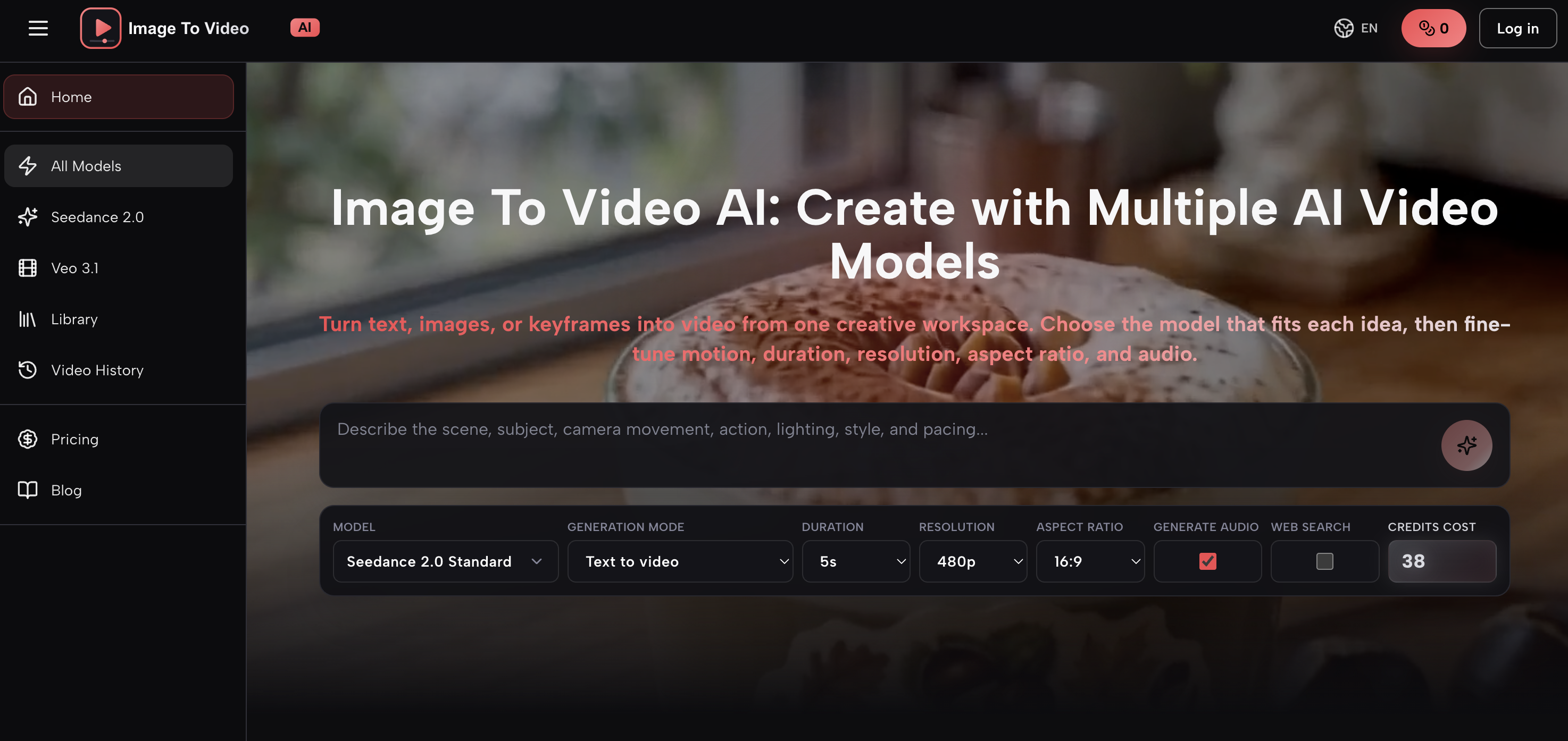
- Generate scroll-stopping ad videos directly from product images or campaign briefs, by selecting the AI model that best fits your project and fine-tuning motion, duration, and aspect ratio.
- Produce engaging educational explainers by animating diagrams or text into video, with control over subject, action, camera movement, and pacing for precise results.
- Create cinematic social reels and shorts from a single photo or text prompt, specifying lighting, atmosphere, and visual style to match your brand.
- Validate camera language and scene pacing instantly for campaign drafts, without scheduling shoots or editing raw footage—just describe the subject, action, and environment.
- Deliver commercial-ready videos at resolutions up to 4K, with the ability to adjust audio generation, ensuring every output meets platform-specific quality standards.
- Keep every generated video organized in a personal library for playback, review, and download, streamlining your workflow from concept to final asset.
Pros & Cons
Pros
- Flexible model selection
- Fine-tuning video attributes
- Suitable for multiple professions
- Text prompts feature
- Reference image option
- Controlled video generation
- Video saving and playback
- E-commerce video creation
- Education video creation
- Supports video editing
- Variety of generation modes
- Supports multiple video resolutions
- Supports multiple aspect ratios
- Integrated audio controls
- Preserves video history
- Cost effective video creation
- Quick turnaround time
- High-quality video output
- Works with keyframes
- Publish-ready video creation
- Custom scene descriptions
- Camera motion controls
- Lighting effect controls
- Easy-to-use interface
- Atmosphere selection
- Supports various video styles
- Highly adaptable tool
- Targeted video pacing
- Animated diagrams feature
- Cloud-based library
- Creative workspace
- Customisable video duration
- Supports multiple languages
- Wide-ranging video applications
- Automates creative process
- Multi-format video output
- Preview feature available
- Professional video results
- Active workflow
- Rich documentation and guides
- Useful for entrepreneurs
- Helpful for advertisers
- Built-in pricing module
- Promotes rapid content testing
- Transforms static to motion
Cons
- Potentially steep learning curve
- No real-time editing
- Camera controls may be restrictive
- Limited motion controls
- No multi-user collaboration
- Mandatory download after completion
- No specifics about storage limit
- Limited aspect ratios available
- Ambiguous pricing structure
Reviews
Rate this tool
Loading reviews...
❓ Frequently Asked Questions
Image To Video AI is a multi-model AI video creation platform that enables users to transform text, images, or keyframes into videos. This versatile tool includes a variety of AI models, each with its unique characteristics, generation modes, and controls. It provides users the flexibility to select an AI model that caters best to their specific project needs.
Image To Video AI operates by facilitating users to select an AI model that fits their project requirements. The users can input text, images, or keyframes to start the video generation process. The selected model then processes these inputs, offering the users control over fine details such as the subject, action, camera movement, lighting, atmosphere, style, and pacing. Once the video generating process is complete, it is automatically saved in the user's library.
Yes, Image To Video AI enables users to create videos without uploading an image. Users can start the video generation process by inputting a text prompt, choosing a video model, specifying output settings, and generating the video.
When using Image To Video AI, image to video generation works by uploading a reference image and detailing how the subject, camera, background, and lighting should change or evolve. The selected AI model uses the image as visual guidance while following the instructions provided in the prompt.
Image To Video AI supports multiple AI models. Each model has its unique strengths, generation modes, and controls. As new AI models become available, they are added to the video creation platform's lineup.
When using Image To Video AI, a prompt should describe the subject, action, camera movement, environment, lighting, visual style, and pacing you want in the video. One to three sentences, focused on these elements, usually provide a strong starting point.
In Image To Video AI, available controls depend on the selected model. They can include model variant, duration, resolution, aspect ratio, and audio generation.
In Image To Video AI, completed videos are automatically saved to your personal library. The library allows you to play, review, open, and download every result you create.
Yes, videos generated by Image To Video AI can be used for commercial projects including ads, product pages, social content, presentations, and campaign drafts. However, users should review the applicable model terms and their rights to prompts and reference assets before publishing.
Yes, Image To Video AI provides creative professionals options to specify details such as the subject, lighting, style, and pacing for the videos. The AI model follows these specified details to generate more precise and controlled results.
With Image To Video AI, users can create a variety of videos. Application examples range from turning text or images into video content, creating short video ads, producing educational assets by animating diagrams, creating product videos from written concepts or images, turning portraits, and travel photos into cinematic social videos.
Yes, Image To Video AI can turn product images into ad videos, making it a useful tool for e-commerce sellers, marketers, and advertisers.
While generating videos using Image To Video AI, you can provide specific details such as the subject of the video, the intended action or movement, direction of camera movement, lighting instructions, atmosphere preferences, visual style, and pacing.
Yes, Image To Video AI allows users to fine-tune the motion, duration, and aspect ratio of the videos. The level of control over these settings depends on the selected AI model.
Yes, Image To Video AI can generate videos from text prompts. Users can start with a text prompt, choose a model that supports text-to-video, select the available output settings, and generate videos.
Image To Video AI is designed for a wide range of professionals. This includes marketers, content creators, educators, e-commerce sellers, graphic designers, as well as entrepreneurs.
Yes, Image To Video AI can animate diagrams for educational purposes. This feature can help educators and e-Learning professionals generate more engaging video explainers and lesson visuals from text or diagrams.
For marketers and content creators, Image To Video AI can create short video ads from campaign briefs or existing visuals, generate scroll-stopping reels, shorts, and looping clips from a prompt, photo, or visual concept, and allow swift validation of camera language.
The control over audio settings in Image To Video AI depends on the selected AI model. However, the platform does incorporate options for audio generation, helping users fine-tune their video outcomes.
Yes, in Image To Video AI, users can control the resolution of their videos. Available options may include 480p, 720p, 1080p and 4k, depending on the selected model.
Pricing
Pricing model
Paid
Paid options from
$29.90/month
Billing frequency
Monthly