China Video | AI Image-to-Video Generator
Overview
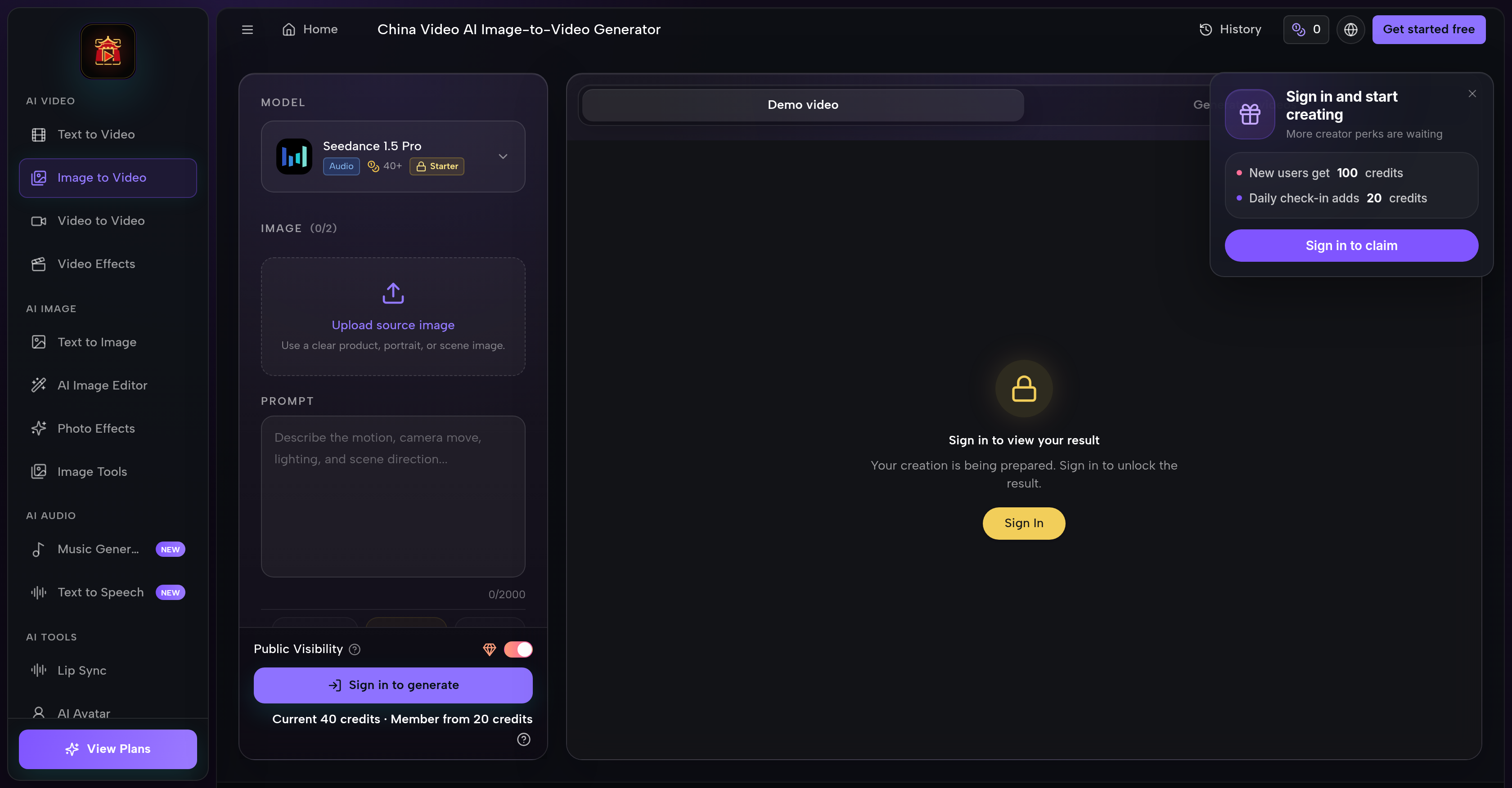
- Produce cinematic AI videos without editing skills using Seedance 2.5, Kling 3, Wan 3.0 and other leading models that output close-ups, tracking shots, slow-motion, and photorealistic day and night scenes.
- Generate both video and image assets from one workspace instead of switching tools, with text-to-video, image-to-video, image generation, AI editing, video effects, and video-to-video creation built in.
- Match each project to the right model by switching between Seedance, Kling, Wan, Veo, Seedream, Grok, Nano Banana and Flux within a single project and comparing their outputs.
- Get expressive character motion and action scenes with Kling 3, or run fast drafts and repeatable iterations with Wan 3.0, choosing the version that fits each creative need.
- Know your exact credit spend before generating by reviewing the upfront credit cost estimate for every version, eliminating surprise charges.
- Create genre-specific atmospheres such as gritty sci-fi, epic fantasy, surreal scenes, and photorealistic day or night settings by supplying descriptive prompts or reference images.
- Direct the AI with your own text prompts and reference images to produce custom video content tailored to social media, advertising campaigns, YouTube content, product visualizations, and films.
- Overcome language barriers and weak prompts with built-in prompt translation and prompt enhancement that sharpen your input before generation.
- Start producing immediately with free credits at sign-up, testing the full workflow before committing to a paid plan.
Pros & Cons
Pros
- Text to video conversion
- Image to video conversion
- Multiple version choices
- Transparent credit costs
- High-quality video output
- Produces photorealistic images
- Generates cinematic shots
- Can create close-ups
- Can create tracking shots
- Can produce slow-motion shots
- Creates diverse atmospheres/scenes
- Simple, streamlined user interface
- Does not require editing knowledge
- Seedance 2.5 availability
- Kling 3 availability
- Wan 3.0 availability
- Generates epic fantasy scenes
- Generates gritty sci-fi scenes
- Flexible prompt input
- Built-in credit estimate
- Visible credit costs
- Professional prompt examples
- Can generate food ads
- Can create sci-fi stories
- Generates world exploration videos
- Generates epic fantasy battle scenes
- Detailed comparison of models
- Account houses multiple models
- Ideal for social media content
- Ideal for marketing campaigns
- Ideal for YouTube content
- Generates moody, dramatic scenes
- Generates vibrant, colorful scenes
- Capable of surreal visuals
- Creates detailed character visuals
- Generates character action scenes
- Offers fast draft creation
Cons
- Credit cost per version
- Multiple versions can confuse
- Location-based tool
- No guaranteed quality consistency
- Potentially limited atmosphere options
- Based on prompt quality
- Lacks advanced editing functions
- Language barrier issues
- No explicit tutorial support
Reviews
Rate this tool
Loading reviews...
❓ Frequently Asked Questions
China Video AI Generator is a tool that converts text and images into video content. It is based in China and is known for generating high-quality video content, including cinematic shots, close-ups, slow-motion shots, and scenes with various atmospheres like gritty sci-fi, epic fantasy, and photorealistic day and night scenes.
China Video AI Generator offers multiple versions such as Seedance 2.5, Kling 3 and Wan 3.0. Each version has different capabilities and applications, providing users with a variety of options depending on their specific needs.
Seedance 2.5 is a version of the China Video AI Generator. It is popular for its ability to generate high-quality video content from text and image prompts. It is part of one workflow that allows users to select a version, add a prompt or reference image, review the credit estimate, and generate the video content.
China Video AI Generator turns text and images into videos through a streamlined process within their AI workspace. Users can efficiently select a specific version, add a text prompt or reference image, review the estimated credit cost for the generation, and initiate the process to create the video content.
Yes, users can choose the specific version they want to use in the China Video AI Generator. The tool offers several versions, including Seedance 2.5, Kling 3 and Wan 3.0, to cater to different user requirements and applications.
Yes, using the China Video AI Generator tool involves a credit cost. Each version of the generator has a transparent credit cost that users can review before initiating the video generation process.
Examples of video content that can be created using the China Video AI Generator include cinematic shots, close-ups, tracking shots, slow-motion shots, and a variety of scenes such as gritty sci-fi, epic fantasy, surreal scenes and photorealistic day and night scenes.
Kling 3 and Wan 3.0 are different versions of the China Video AI Generator. The primary difference between these versions lies in their application and performance capabilities. Kling 3 is best suited for expressive motion and character action, while Wan 3.0 is ideal for efficient drafts and repeatable iterations.
No, it is not necessary to have extensive video editing knowledge to use the China Video AI Generator. The tool is designed for a seamless and straightforward experience, enabling users to generate high-quality video content without necessitating an intricate understanding of video editing.
Common applications of the China Video AI Generator include creating video content for social media, advertising campaigns, YouTube content, product visualizations, films and more. It proves especially useful for marketing, content creation, product launches, brand storytelling, and other areas that require visually engaging content.
Yes, the China Video AI Generator is capable of creating close-ups and slow-motion shots. These are among the various types of video content that the tool is adept at generating.
Using the China Video AI Generator, users can simulate various settings and atmospheres. This includes gritty sci-fi, epic fantasy, surreal scenes and photorealistic day and night scenes.
The quality level of the videos created by the China Video AI Generator is superior, boasting high-definition and photorealistic images. These compelling outputs are achievable regardless of the users' video editing expertise.
Yes, users can review the credit estimate before generating a video with the China Video AI Generator. This feature allows for clear cost transparency before the video generation process is initiated.
Yes, China Video AI Generator has credit costs associated with different versions. Each version, whether it's Seedance 2.5, Kling 3, or Wan 3.0, has a clear and transparent credit cost that users can review before getting started.
Generating a video with the China Video AI Generator involves the following steps: Select a version, add a prompt or reference image to direct the AI, review the credit estimate to understand the associated cost, and then proceed to generate the video content.
Yes, users can add their own prompts or reference images while using the China Video AI Generator. This feature allows for the creation of custom video content tailored to the users' specific requirements and creative vision.
To create scenes for genres like sci-fi or fantasy, users can provide descriptive prompts and/or reference images when using the China Video AI Generator. The tool employs AI to interpret these inputs, outputting unique, genre-specific video content.
Yes, multiple versions of the China Video AI Generator can be used within the same project. Users can switch between versions such as Seedance 2.5, Kling 3, and Wan 3.0, according to their specific requirements or creative needs.
China Video AI Generator is capable of creating a wide range of cinematic effects. Examples include cinematic shots, close-ups, tracking shots, slow-motion shots, and atmospheric scenes depicting various contexts - from gritty sci-fi to epic fantasy, surreal scenes, and photorealistic day and night settings.
Pricing
Pricing model
Free Trial
Paid options from
$8.33/unit
Billing frequency
Pay-as-you-go
Refund policy
Refunds are reviewed on a case-by-case basis in line with our Terms of Service.