Overview
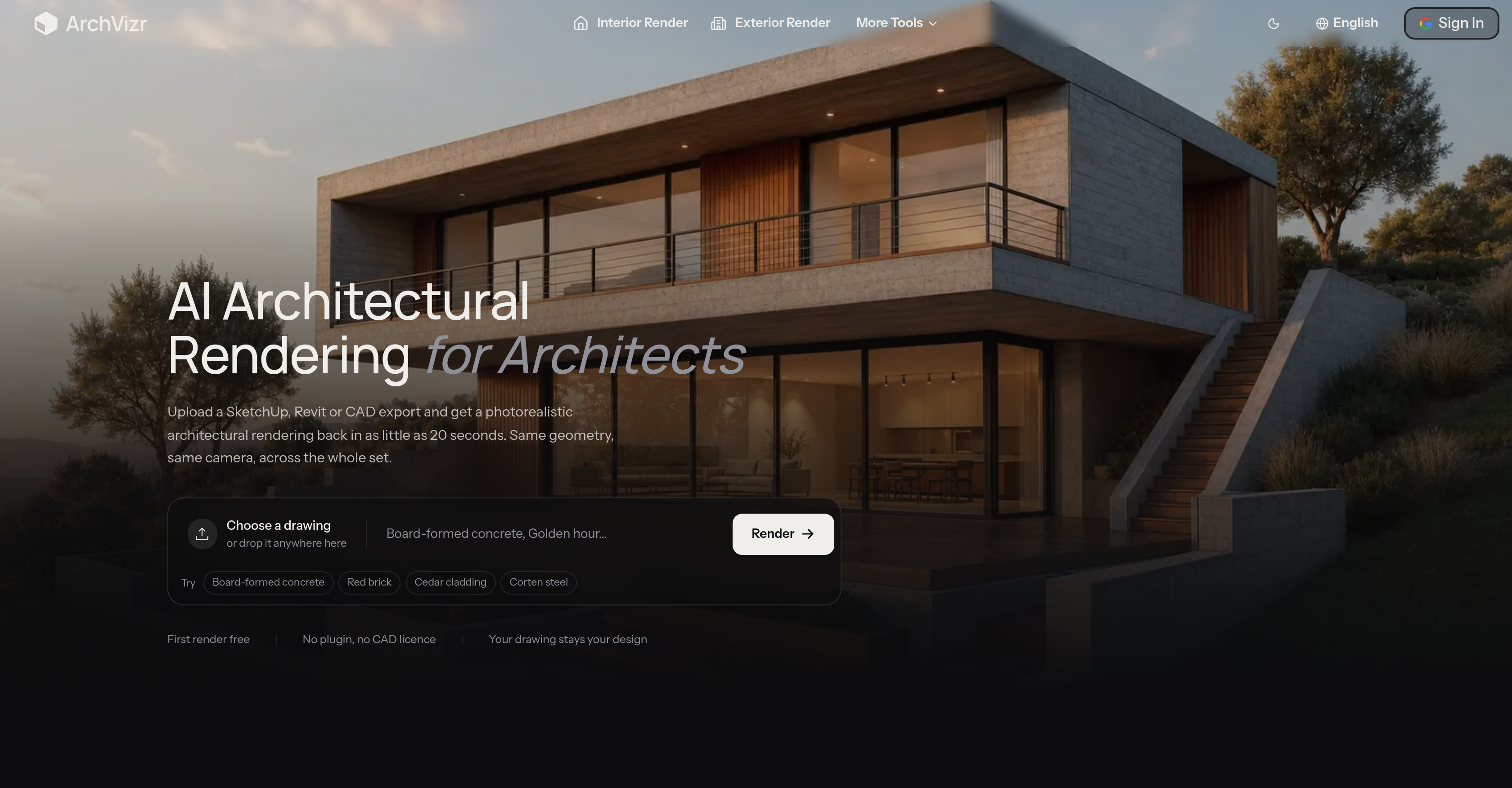
- Produce photorealistic architectural renders in as little as 20 seconds from a single SketchUp, Revit, or CAD upload, replacing days of traditional rendering work
- Generate a complete set of consistent design visuals—Sketch, Exterior, Photorealistic, Landscape, and Interior Rendering—from one drawing upload, eliminating the need for separate render passes
- Accelerate architectural design iterations with instant visual feedback that lets you test concepts and refine projects faster
- Deliver accurate client presentations with renders that preserve the exact geometry and camera placements set in your original design
- Protect structural integrity in every architectural visualization, as the AI leaves windows and massing untouched from the source drawing
- Achieve aesthetically coherent visuals across all perspectives by dropping in a photo or moodboard for AI-driven style transfer and color palette adaptation
- Customize materials, season, and hour before rendering to generate high-definition photorealistic renderings tailored to each project's context
- Handle large scale architectural projects confidently, producing multiple interior, exterior, and landscape renders from drawings of varying complexity
- Get 24/7 email support for technical issues and queries throughout your architectural rendering workflow
Pros & Cons
Pros
- Supports popular formats (SketchUp, Revit, CAD)
- Fast photorealistic renderings
- Preserves geometry and camera placements
- Single upload, multiple render styles
- Preserves original structural input
- Style transfer capabilities
- Adapts color palette from references
- Streamlines visualization process
- Supports variety of renderings (Exterior, Interior, Landscape)
- Aesthetic consistency across renderings
- Enables faster iterations in design
- Quick rendering times (20 seconds)
- First render free
- No additional plugins needed
- Flexible for different uses (presentation, communication)
- Consistent palette across project images
- Offers varietal materials for rendering (concrete, brick, cedar, corten)
- Preserves your drawing's original design
- Multiple lighting scenarios on same geometry
- Maintains context of surrounding in renderings
- Intuitive three-step process for rendering
- Set-specific optimization
- Allows dynamic light changes without redrawing
- Provides realistic site features (planting, paving, neighbors)
Cons
- Limited file format support
- No custom style controls
- No lighting modification options
- Unvaried template renders
- No detailed architectural adjustments
- No built-in editing tools
- Lacks manual control
- Limited material selection
- No editable rendering settings
Reviews
Rate this tool
Loading reviews...
❓ Frequently Asked Questions
ArchVizr supports architectural drawings in formats such as SketchUp, Revit, or CAD.
After an architectural drawing is uploaded, ArchVizr can return photorealistic renders in as little as 20 seconds.
Consistency across different perspectives in renderings is ensured by ArchVizr's ability to create a comprehensive set of renders from a single upload. This set includes Sketch Rendering, Exterior Rendering, Photorealistic Rendering, Landscape Rendering, and Interior Rendering.
ArchVizr respects the structural input of the uploaded drawings and does not alter architectural elements such as windows.
Style transfer in ArchVizr refers to its ability to adapt its color palette from a reference image or moodboard. Users can drop in a photo or moodboard, and ArchVizr would adapt its color palette from this reference.
ArchVizr adapts its color palette by using AI to analyze the reference image or moodboard provided by the user and then use this to create aesthetically coherent visuals.
From a single upload, ArchVizr can create Sketch Rendering, Exterior Rendering, Photorealistic Rendering, Landscape Rendering, and Interior Rendering.
ArchVizr can maintain aesthetic consistency across different renderings. This is achieved by using AI to adapt its color palette from a reference image or moodboard. The results provide aesthetically coherent visuals across all renderings.
ArchVizr streamlines the architectural visualization process by utilizing AI to quickly generate multiple, consistent photorealistic renderings from a single upload of an architectural drawing.
ArchVizr aids in creating project communications or presentations by offering a fast and efficient way to turn architectural drawings into high-quality, photorealistic renderings. These renderings can be effectively used in client meetings, presentations, and project communications.
ArchVizr plays a vital role in preserving the same geometry and camera placements of the original design. It ensures that the resulting renders match the same specifications that were set in the original architectural drawing.
To use ArchVizr, users need to upload their architectural drawing in a supported format, specify the materials, season, and hour for the render, and then download the generated renderings.
Color palette in renderings using ArchVizr can be modified through its style transfer capability. Users can drop in a reference image or moodboard, which ArchVizr uses to adapt its color palette for creating the renders.
Yes, ArchVizr can generate both interior and exterior architectural renderings from the uploaded drawings.
Yes, ArchVizr provides detailed and high-definition photorealistic renderings. The produced renders maintain the same geometry and camera placements set in the original design, creating a realistic and high-definition representation.
ArchVizr's speed significantly surpasses traditional rendering methods, as it can generate photorealistic renders in as little as 20 seconds.
The benefits of using ArchVizr's AI capabilities in architectural design iterations are manifold. These include the quick generation of photorealistic renders, consistency across different perspectives in renderings, and the ability to facilitate faster iterations in design processes by providing instant visual feedback.
Yes, ArchVizr can be used for large scale architectural projects. It can handle architectural drawings of varying complexity and produce multiple renders, including interior, exterior, and landscape from a single upload.
Yes, ArchVizr offers 24/7 email support to assist with any technical issues and queries.
Pricing
Pricing model
Free Trial
Paid options from
$14.99/month
Billing frequency
Monthly