AnimePhotoGen
Overview
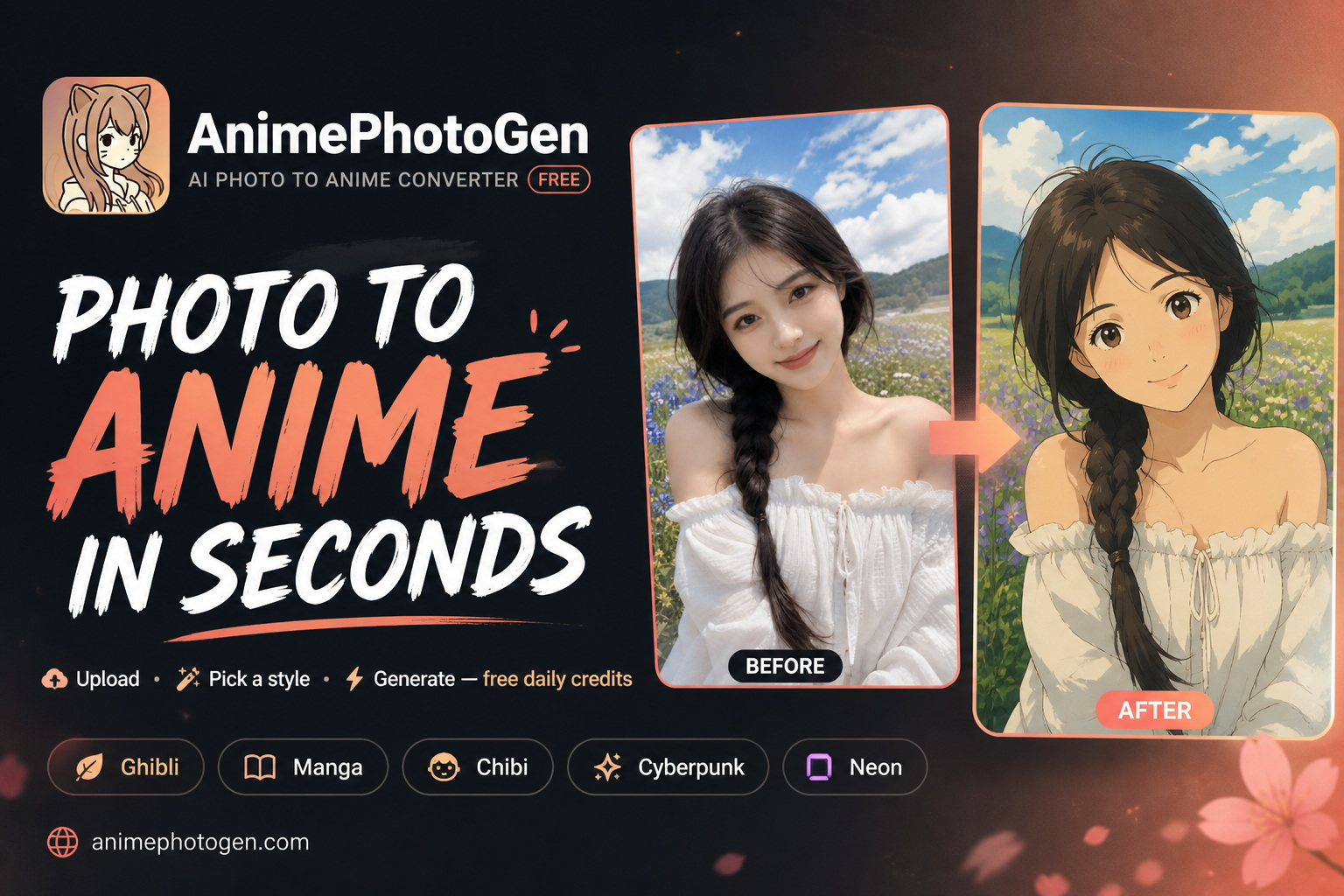
- Create unique anime art from any photo without editing skills using AI that analyzes and redraws images into nine predefined styles like Manga, Studio Ghibli-inspired, and CyberPunk.
- Start converting photos to anime instantly with no sign-up required and free daily credits for immediate experimentation.
- Generate personalized profile pictures, couple portraits, pet caricatures, and cosplay previews with versatile AI conversion that handles selfies, portraits, and pet images.
- Produce high-resolution anime images suitable for social sharing, avatars, or printing through detailed AI redrawing rather than simple overlays.
- Customize output with optional text prompts and multiple aspect ratios to guide the AI's rendition for specific aesthetic needs.
- Access the tool on both phone and desktop for convenient anime photo conversion from any device.
- Preview, download, and share completed anime images instantly after generation to streamline social media posting or gifting.
- Use free daily credits to experiment with different anime styles and create multiple unique pieces without upfront costs.
Pros & Cons
Pros
- No sign-up required
- User-friendly platform
- Nine predefined styles
- Transforms photo, not overlay
- Instant preview of results
- Download or share instantly
- Mobile and desktop compatible
- Free daily credits
- Ideal for profile pictures
- Perfect for couple portraits
- Creates pet caricatures
- Useful for cosplay previews
- Great for gift illustrations
- Creates unique anime pieces
- High-Resolution output
- Optional style customization
- Supports various aspect ratios
- Offers instructions for use
- Effortless creation process
- Multiple clicks to generate
- Original downloads for members
- Ideal for social sharing
- Optional text prompts use
Cons
- Limited number of styles
- No application version
- No customization beyond styles
- Doesn't provide HD outputs
- Limited daily free usage
- Requires sign in for downloads
- Depends on photo quality
- Doesn't handle group photos well
Reviews
Rate this tool
Loading reviews...
❓ Frequently Asked Questions
AnimePhotoGen is an artificial intelligence powered converter that specializes in transforming uploaded pictures into anime-styled images. This platform caters to a user-friendly experience and doesn't require any sign-ups to start. It offers users predefined choices of anime styles and provides an intelligent way to analyze and redraw photos into unique anime art, rather than applying a color overlay. AnimePhotoGen is designed to cater to a range of needs including individual profile pictures, couple portraits, pet caricatures and more. It can be accessed on both phone and desktop platforms, offering free daily credits for users.
AnimePhotoGen works by using artificial intelligence to transform uploaded photos into anime-style images. Users can choose from nine predefined anime styles. After uploading a photo and choosing a style, the platform intelligently analyzes the photo and redraws it into a unique anime piece. Users can also customize the ratio of the image if they so choose.
AnimePhotoGen offers nine predefined anime styles to its users. These include Manga, Studio Ghibli-inspired, Shonen, CyberPunk, Classic 90s, Chibi, Watercolor, Pixel, and Neon Glow styles.
No, AnimePhotoGen does more than just apply a color overlay to the images. It uses artificial intelligence to analyze the original photo and then redraws it into a unique anime piece, effectively recreating the image in the selected anime style.
Yes, once the transformation process is completed, users can preview the anime-style result. If they are happy with the outcome, they can also download or share the image instantly.
Yes, AnimePhotoGen is versatile in its functionality and can be utilized to create individual profile pictures, couple portraits, pet caricatures and more.
Yes, AnimePhotoGen offers free daily credits to its users. This allows users to experiment with the platform and create anime-style images every day.
Yes, AnimePhotoGen offers compatibility with both mobile and desktop platforms. This allows users to create anime-style images from any preferred device.
Using AnimePhotoGen requires three easy steps; first, you upload your photo that you aim to transform, could be a portrait, a selfie, a pet, etc. Second, you choose your anime style, options include Manga, Ghibli-inspired among others. Lastly, hit Generate and Share to see your transformed photo and potentially share it with others.
No, it's not necessary to sign up to start using AnimePhotoGen. The platform allows anyone to jump in with their free daily credits. Creating an account is an option that can be done later for those interested in downloading original images or obtaining extra credits.
Yes, AnimePhotoGen boasts an intelligent artificial intelligence engine. This engine is capable of analyzing and redrawing photos, creating genuine anime artworks and not simple filters or overlays.
No, you don't need any photo editing skills to use AnimePhotoGen. The platform is designed to be user-friendly and requires just a few clicks to convert your photo to an anime image.
Any clear images work well with AnimePhotoGen. This can include selfies, couple portraits, pet images among others. Clearer images generally provide the best output results.
Yes, AnimePhotoGen can be effectively used to create anime-style cosplay previews. It can transform a reference selfie into a variety of anime styles such as manga, shonen, or cyberpunk before you invest in materials for your cosplay.
AnimePhotoGen takes an uploaded photo as input, allows the user to select an anime style, and then uses AI to analyze the photo and redraw it in the selected style. The user can choose to add optional text prompts and select aspect ratios to further customize the result. The output is a high-resolution, anime-style rendition of the original photo.
Yes, the images generated by AnimePhotoGen are high resolution. They are detailed enough for social sharing, use as avatars, or personal printing.
Sure, AnimePhotoGen does allow customization of the output result. Along with selecting the style, users can use optional text prompts and choose from various aspect ratios to guide the AI's rendition of the photo.
AnimePhotoGen provides free daily credits to all users to create their anime images. However, for more volumes or for downloads, users are required to create an account. There are no reported daily generation limits for users who have created an account.
Absolutely, AnimePhotoGen can generate a unique anime piece regardless of your preferred style. It intelligently translates the essence of the original photo while working within the aesthetic framework of the selected anime style, thereby creating a unique anime piece.
AnimePhotoGen can serve as an excellent gift idea. You can create personalized anime portraits that people would love to share or even print. The platform allows for the creation of romantic couple portraits, pet portraits, and more, so you can gift a personal and unique anime piece created from their photos.
Pricing
Pricing model
Freemium
Paid options from
$6.99/month
Billing frequency
Monthly