
AI Video Editor
Overview
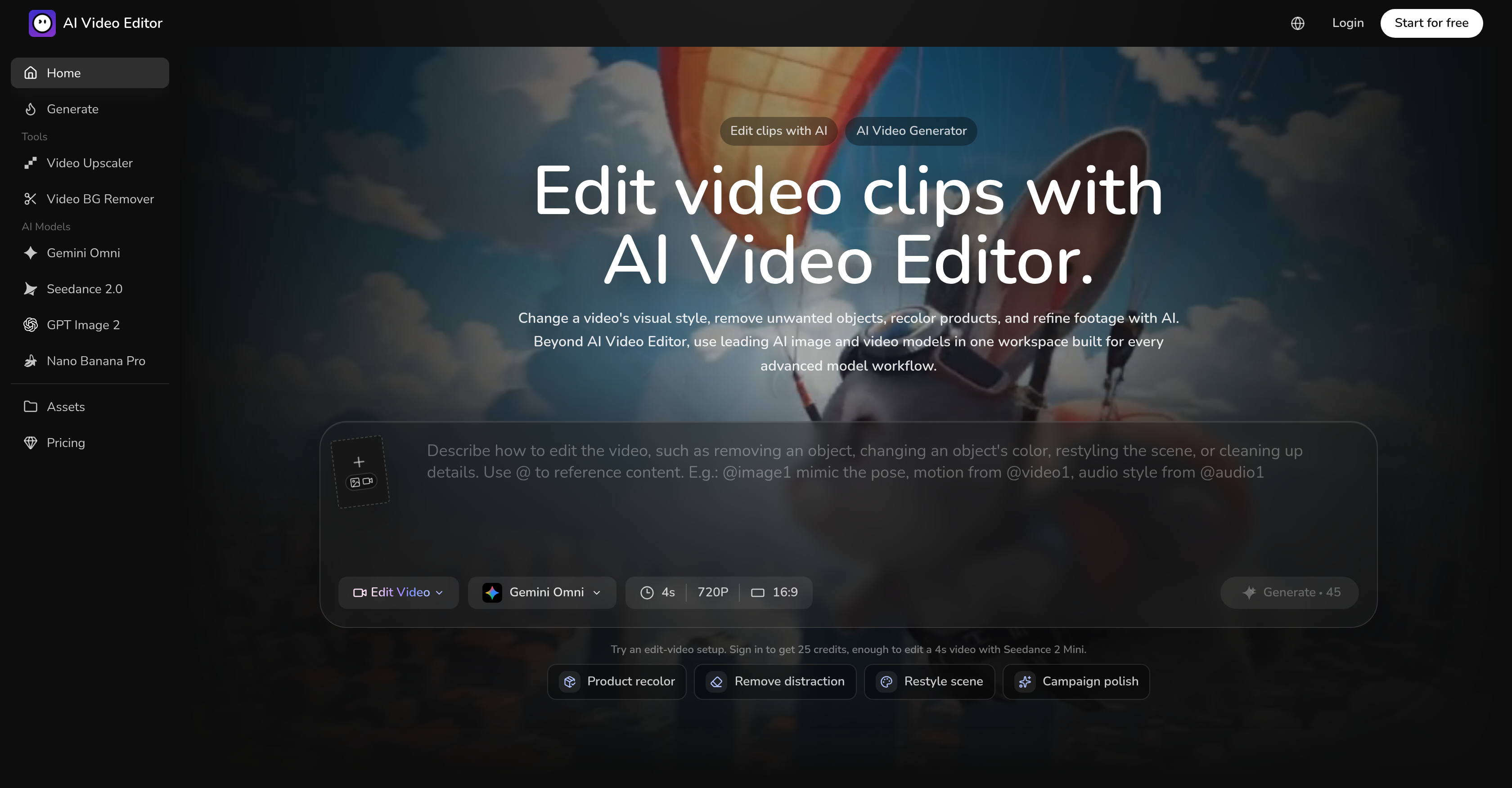
- Produce polished, brand-aligned videos instantly by describing your desired visual style in natural language, using the AI Video Editor's prompt-based editing.
- Eliminate unwanted objects or watermarks from footage without manual frame-by-frame work, thanks to the intelligent Object Removal function.
- Launch new product color variants without costly reshoots by altering product colors directly in existing video scenes, enabling rapid SKU testing.
- Transform a video's entire environment—weather, background, or character features—with a single sentence directive, using the Environment Alteration feature.
- Maintain the original scene's context and subject focus while applying dramatic style changes, because the AI preserves core video elements.
- Generate consistent, on-brand aesthetics across all video content by applying saved brand coloring schemes and logos from the reusable assets library.
- Access both advanced AI video and image models in one workspace to edit video and create complementary images without switching tools.
Pros & Cons
Pros
- Edit video with prompts
- Advanced functionality offered
- Alter visual style
- Remove unwanted objects
- Recolor products
- Enhance video footage
- Natural language commands
- Generates multiple styles
- Preserves core clip elements
- Environment alteration capabilities
- Simple sentence directives
- Easy product color alterations
- Reuseable asset library
- Convenient for diverse users
- Accessible image models
- Distinct video models
- Provides model controls
- Clip editing function
- Color editing function
- Potential SKU testing tool
- Useful for growth marketers
- Creative team tool
- Ecommerce video solution
- Brand aesthetic creation
- Cinematic style generation
- Editable chat directives
- Integrated image model function
- Clear model-specific controls
- Keeps edit references connected
- Retains visual context
- Allows object replacements
- Watermark removal tool
- Frame edit commands
- Changes in weather
- Character modification potential
- Convenient for creators
- Variety in visual style
- Generation of clean visuals
- Promises brand consistency
- Offers easy asset reuse
- Provides presets for output formats
- Allows multiple simultaneous edits
- Optimized for different team workflows
- Lighting preservation during edits
- Background cleaning feature
- Retains camera move after edits
- Perfect for independent creators
- Environment change with single sentence
- Brand-specific looks creation
- Distinct workflow for precise changes
- Ideal for diverse style requirements
- Enables creation of campaign stills
Cons
- No explicit multi-user support
- No mobile version
- Lack of integrated sharing options
- Inability to import custom assets
- Cannot edit audio
- Limitations in character modifications
- No real-time collaboration feature
- Lack of transparent revisions history
- Doesn't support all video formats
- No offline version
Reviews
Rate this tool
Loading reviews...
❓ Frequently Asked Questions
AI Video Editor is a comprehensive artificial intelligence tool designed to edit videos as per user instructions. It provides advanced capabilities for video refinement, alteration of visual style, object removal, and product recoloring. Users can describe the needed edits in natural language, and AI Video Editor creates corresponding alterations.
AI Video Editor utilises natural language processing to understand user prompts conveyed in normal, everyday language. Based on these prompts, it implements targeted modifications such as removing a particular object, changing the color of a product, altering the scene's visual style, or enhancing overall footage quality.
AI Video Editor offers extensive capacity to modify a video's visual style. Users can generate a wide range of finished styles—from cinematic to brand-specific aesthetics. This encompasses alterations in the video's atmosphere, color grading, texturing, and more.
AI Video Editor incorporates an intelligent Object Removal function which can cleanse the video of unnecessary objects or barriers. This maintains focus on the desired subjects and allows for distraction-free viewing.
Yes, AI Video Editor excels in product color recoloring within videos. This feature allows users to change the color of products within a video scene without the need for a reshoot, useful for testing new product color variations.
Refinement of footage in AI Video Editor involves enhancing the video quality, clarity, and visual appeal based on user instructions. This may include tasks such as smoothing transitions, sharpening images, adjusting lighting, or adding special visual effects.
AI Video Editor has the capability to preserve the central elements of a video while making edits. This means the tool will maintain key aspects such as the original scene's context, subject focus, and storyline, even when it modifies the visual style or removes objects.
The Environment Alteration feature of AI Video Editor allows changes in the setting or background of the video. This could include transformations in weather, alterations to the physical characteristics of a character or changes to the overall scene backdrop.
Yes, AI Video Editor accepts natural language instructions for video edits. This means users can describe in plain, everyday language what changes they require, making the editing process user-friendly and efficient.
SKU testing in AI Video Editor is the testing of different 'Stock Keeping Unit' directions. Specifically, this feature allows product color alterations in the video, providing a quick and cost-effective way to test how different color variants of a product might look in the original footage without reshooting.
AI Video Editor is designed to cater to a broad range of user profiles such as growth marketers, ecommerce teams, creative teams, and independent creators.
Editing video with words in AI Video Editor refers to users describing the edits they want to see in a video in a natural language. This does away with complex video editing interfaces and allows changes to be made based on straightforward textual prompts.
Model Controls in AI Video Editor give users the ability to fine-tune how the AI generates edits. This might involve controlling intensity of changes, specifying the order of operations, or any other setting relevant to directing AI in creating the desired end result.
Yes, advanced AI video and image models are accessible from the same workspace within AI Video Editor, allowing for continuity and enhanced productivity when needing both image and video edits.
Reusable assets available in AI Video Editor refer to a library of elements, effects, or styles that can be saved and reused in future video editing tasks. This can speed up the editing process and ensure consistency in videos.
AI Video Editor assists in creating brand-specific aesthetics through its intelligent editing capabilities. This includes but isn't limited to creating videos in a style that mirrors a specific brand's image, incorporating brand coloring schemes, and adding in brand imagery or logos.
Yes, AI Video Editor has the capability to remove visible watermarks, logos, or undesired brand marks from a video while keeping the rest of the video, such as the original framing, color grade, and subject performance, intact.
You can change the visual style of a video using AI Video Editor by specifying desired alterations in visual style, atmosphere, color grading or texturing. The tool will create these changes based on these instructions while keeping key aspects of the original video intact.
Yes, you can generate new visual styles using the AI Video Editor. The AI can change the existing footage into different styles like cinematic, anime, commercial or brand-specific aesthetics while preserving the core action of the footage.
AI Video Editor can edit a wide range of videos — from campaign ads and video footage to promotional clips and creative video content — regardless of the content's initial state. It offers detailed edits based on textual instructions without the need for complex video editing interfaces.
Pricing
Pricing model
Freemium
Paid options from
$14.90/month
Billing frequency
Monthly
Refund policy
Refund requests must be submitted within 7 days of purchase.