Overview
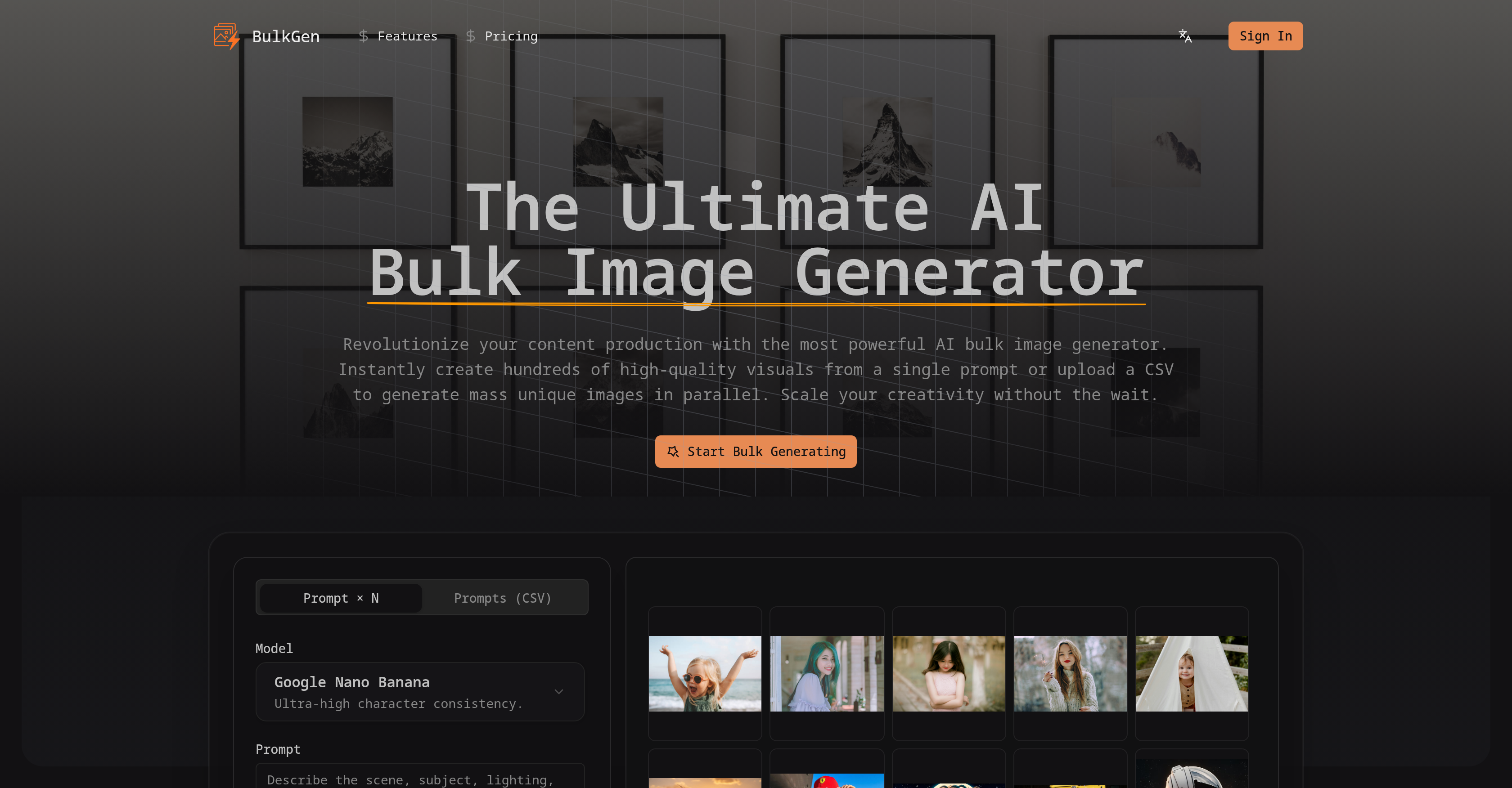
- Scale visual content production from one prompt to thousands of unique images instantly using the 'Prompt × N' mode for concept variations.
- Automate image creation for large datasets like product catalogs by uploading a CSV file, where each line generates a specific, unique image.
- Maintain perfect visual consistency and high fidelity across all generated images, even in large batches, using advanced AI models.
- Export ready-to-use visuals for any platform with custom aspect ratios (1:1, 16:9, 9:16) and formats (PNG, JPEG).
- Process massive image generation jobs without slowdowns using high-speed parallel processing powered by advanced GPU clustering.
- Own all generated images for commercial use in advertising, client work, and campaigns with full commercial rights and no licensing fees.
Pros & Cons
Pros
- High-volume image production
- Supports textual prompts
- Accepts CSV files
- Two distinct modes
- Accommodates extensive datasets
- Ideal for e-commerce
- Generates social media content
- Supports custom aspect ratios
- High-speed rendering
- Offers swift export options
- High-speed parallel processing
- Employs GPU clustering
- Delivers superior scalability
- Ensures consistency in images
- Can create character art
- Supports all standard ratios
- Exports in PNG or JPEG
- Outputs large quantities
- Streamlines content creation process
- Offers CSV for parallel generation
- Produces consistent e-commerce assets
- Offers automation in scalability
- Supports 1:1 aspect ratio
- Supports 9:16 aspect ratio
- Supports 16:9 aspect ratio
- Empowers users with mass visuals
- Offers several lighting variations
- Creates dynamic ad campaigns
- Ideal for SEO blog posts
- Utilizes high-speed parallel processing
- Automatic CSV upload for mass production
- Offers scalable content creation
- Data-driven visual automation
- Automatic parallel request processing
- Delivers ultra-high consistency models
- Uses Google Nano models
- Specific per prompt image configuration
- One-click bulk export feature
- Provides commercial rights on images
- Streamlines thousands of file management
- Supports 3:2 aspect ratio
- Supports 4:3 aspect ratio
- Supports 2:3 aspect ratio
- Supports 3:4 aspect ratio
- Supports 5:4 aspect ratio
- Supports 4:5 aspect ratio
- Configurable image generation settings
- Fashionable, intuitive interface
- Provides CSV processing engine
- 1 to 50+ prompts per batch
Cons
- Limited to PNG/JPEG output
- Requires CSV files for bulk
- No real-time preview feature
- No specified error-handling mechanism
- Lacks advanced editing options
- Output may not be predictable
- No support for vector formats
- Not designed for single-image generation
- No multi-language support
- Inability to save templates
Reviews
Rate this tool
Loading reviews...
❓ Frequently Asked Questions
BulkGen is a high-powered AI tool that functions as a bulk image generator. It is specially designed to address the bottleneck of single-image creation. The application facilitates the generation of mass quantities of visuals in seconds and brings two distinct modes under one roof - 'Prompt × N' mode and 'Prompts (CSV)' mode. This makes it effective for generating various versions of a single concept or processing extensive datasets of various descriptions concurrently.
The 'Prompt × N' mode in BulkGen is used to create multiple versions of a single concept or idea. Using this mode, you just need to input a single text prompt and specify the number of images needed. The system then instantly renders N unique variations in different compositions, lighting, and styles. The 'Prompts (CSV)' mode, on the other hand, is used for processing a CSV file consisting of hundreds of distinct prompts in parallel. This allows the generation of a specific image for every single line - perfect for product catalogs, SEO blog posts, and dynamic ad campaigns.
BulkGen is versatile and can produce a wide array of content including consistent character art, e-commerce assets, and diverse social media content. It can deliver numerous variations of a single concept or process large datasets of various descriptions, making it suitable for various use cases in the digital content space.
Yes, BulkGen enables users to define the aspect ratio of images. It supports all standard aspect ratios used across different platforms including 1:1, 16:9, 9:16, and others. This flexibility allows users to tailor their bulk outputs for any specific platform.
BulkGen provides the flexibility of exporting your generated images in two of the most commonly used image formats - PNG and JPEG. Users can export their entire batch of high-quality visuals in either of these formats with a single click, facilitating ready-to-use bulk content.
The high-speed parallel processing in BulkGen is made possible through advanced GPU clustering technology. This technique spins up parallel processing threads allowing multiple image generation requests to be processed simultaneously. Hence, regardless of whether you're generating ten images or a thousand, you get your results with the same speed and ultra-high consistency.
Yes, all images produced using the BulkGen tool are available for commercial use. Users are granted ownership rights to the generated images and can use them freely for commercial projects, client work, and advertising with no worry about licensing fees.
With its superior scalability, BulkGen proves beneficial for businesses and agencies that require high-volume visual assets. It allows for the mass production of images from a single text prompt or a CSV file, thereby eliminating the traditional bottleneck of generating images one at a time. This promotes efficiency and productivity, making it an ideal solution for such entities.
To use a CSV file for bulk generation in BulkGen, firstly, you will need to create a CSV file with each line containing a separate prompt for the kind of image to be generated. Then, you upload this file using the 'Prompts (CSV)' mode, and the system generates a unique image for each line in the CSV automatically.
BulkGen guarantees high-quality visuals. It achieves high fidelity and character consistency across all generated images, regardless of their quantity. The use of advanced models, such as Google Nano, facilitates the production of such high-quality visuals.
Absolutely. BulkGen can be indeed used for creating content for various social media platforms including Instagram, TikTok, and YouTube among others. It supports all standard aspect ratios allowing you to tailor your bulk outputs for any specific platform. Additionally, it offers multiple variations of a single concept, which helps in maintaining consistency across all images in a social media series or campaign.
BulkGen presents several applications in the e-commerce industry. From generating a multitude of product images based on product descriptions in a CSV file, to creating consistent character art and other visual assets, it's a versatile tool. It proves ideal for large product catalogs, streamlining the process of creating unique product images or SEO blog posts for various products, and in automating dynamic ad campaigns.
Yes, BulkGen supports all standard aspect ratios used across different platforms. Whether you need 1:1 for Instagram, 9:16 for TikTok, or 16:9 for YouTube thumbnails, BulkGen has you covered. This flexibility means your generated visuals will always be the perfect fit for the platform they are intended for.
To use BulkGen, you need to select your preferred mode - 'Prompt × N' for multiple variations of a single concept or 'Prompts (CSV)' to upload a CSV file for mass generation. Input your prompt or upload the CSV file, then set specific parameters, including the number of images per prompt, aspect ratio, and output format. Once you click 'Generate', the system fills the gallery with your images and you are then free to download your images individually or export them as a ZIP file.
The information does not specify a limit on the number of images that can be generated at once using BulkGen. It does, however, mention its capability to handle parallel requests, suggesting a capacity to manage high volume tasks.
Yes, BulkGen's 'Prompt × N' mode specifically allows for the creation of multiple unique variations of a single concept. You simply provide a single text prompt and specify the number of images needed, and the system then instantaneously produces multiple unique images.
The advantage of advanced GPU clustering in BulkGen is the incredible speed it brings to parallel processing. This functionality allows multiple image generation tasks to be processed simultaneously, delivering high-speed results regardless of the quantity of images being generated. This fosters efficiency and consistency, reducing the wait-time even when generating large batches of images.
BulkGen uses advanced models like Google Nano and others to maintain high fidelity and character consistency across large batches. This ensures that regardless of the number of images created, all of them will maintain high quality and consistency in design and style, making it perfect for storytelling and branding within a bulk image generation workflow.
Yes, all images created by BulkGen are unique. Whether you are using the 'Prompt × N' mode to generate variations of a single idea or the 'Prompts (CSV)' mode to generate images for various descriptions, each output is unique and specific to the input prompt.
Yes, BulkGen's 'Prompts (CSV)' mode allows you to generate a unique image for each description in your CSV file. You just need to upload a CSV file containing different prompts, and BulkGen will generate a specific image for each line, perfect for automating the generation of large numbers of uniquely described images.
Pricing
Pricing model
Free Trial
Paid options from
$9.50/month
Billing frequency
Monthly