
AI Arch Generator
Overview
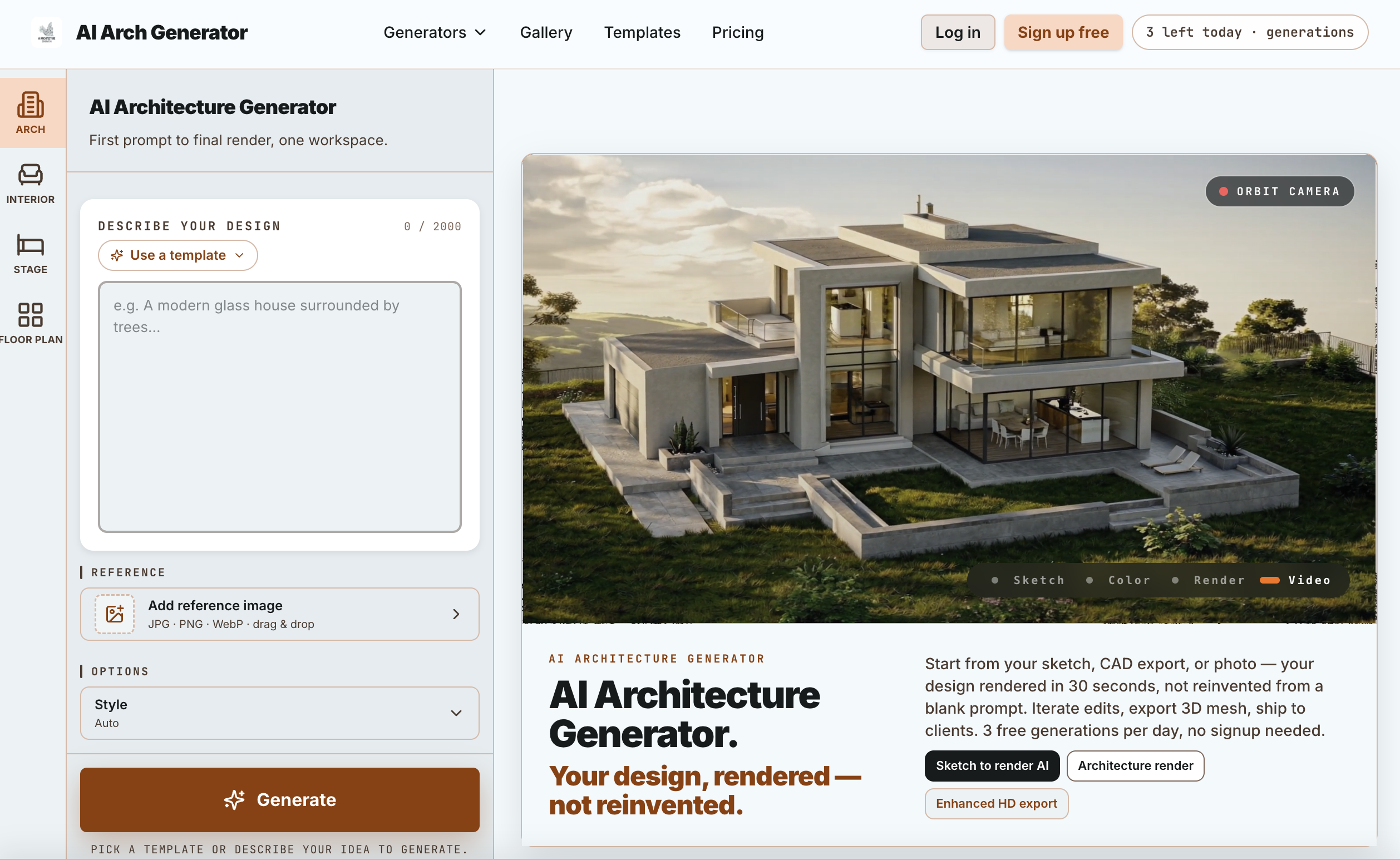
- Preserve your exact design intent in every photorealistic architectural render by uploading a hand sketch, CAD export, SketchUp file, or site photo that the tool renders faithfully instead of inventing a new building
- Produce client-ready architecture and exterior renders in about 30 seconds with a single generation pass that keeps your massing, glazing, and layout intact
- Deliver complete visual packages from one account by running architecture, sketch-to-render, exterior, interior, landscape, AI floor plan, virtual staging, color visualizer, and mood board generators under a single login
- Refine renders through inpainting, zoom-in detail passes, and furniture swaps instead of re-rolling from scratch, with a version tree that preserves every intermediate render for full batch iteration control
- Hand off 3D previews that open directly in Blender, SketchUp, model-viewer, or AR Quick Look by exporting a GLB preview mesh alongside your visuals
- Meet real estate listing requirements with MLS-compliant renders and virtual staging for empty rooms, so realtors can publish photorealistic interior and exterior images without compliance risk
- Generate photorealistic architectural renders with zero technical background by selecting from 50+ hand-tuned templates in Template Mode, built for realtors, students, and anyone who just needs the image
- Take full creative control with Pro Mode's free-form prompts up to 2,000 characters, reference-image control, and an advanced keyword panel for material, lighting, environment, and camera adjustments
- Export finished work at Enhanced HD resolution—roughly 4x the free preview—or as a magazine-print upscale on Studio plans and above, with watermarks removed and a commercial license included
- Start rendering immediately without signing up, using 3 free generations per day up to 10 total, watermarked, before committing to a paid plan
Pros & Cons
Pros
- Commercial license on every paid plan, including the one-time pass
- A $3.90 one-time 24-hour HD Pass gives watermark-free, commercially licensed output without any subscription
- Usable without an account: 3 renders a day, no credit card
- Generate, edit, upscale and export 3D in one tool, no hopping between apps
- Renders your actual design instead of reinventing it — massing, glazing and layout survive
Cons
- Free tier is watermarked, personal-use only, and capped at 10 renders in total
- Limited template library
- No native 3D support
- No direct CAD import
- No detailed lighting editing
Reviews
Rate this tool
Loading reviews...
❓ Frequently Asked Questions
The AI Architecture Generator is a specialized tool designed for producing photorealistic architectural renders. It accepts a range of inputs, such as sketches, CAD exports, photos, or custom prompts, to create these visualisations. The tool comes with two modes: Pro Mode and Template Mode. Additionally, it provides functions like Enhanced HD export, 3D mesh use, batch iteration with a version tree, and MLS compliance for real estate listings.
In the AI Architecture Generator, Pro Mode and Template Mode cater to different user needs. Pro Mode offers unlimited creative freedom for design professionals. It allows them to write any prompt, upload any reference, and adjust various parameters related to material, lighting, environment, and camera perspectives. On the other hand, Template Mode simplifies usage for non-professionals, such as realtors or students. It offers a curated library of over 50 presets or templates, along with guided prompts and quick render generation.
Yes, the AI Architecture Generator has the capability to create photorealistic renders from sketches. This allows users to turn their architectural concepts and ideas, sketched out traditionally, into detailed and realistic visualisations.
Yes, the AI Architecture Generator comes with a curated library of more than 50 presets and templates. These presets and templates are provided to simplify the usage for non-professionals and can be quickly applied to generate renders.
In Pro Mode of the AI Architecture Generator, users have the flexibility to adjust a wide range of parameters. These parameters include adjustments related to material, lighting, environment, and various camera perspectives. This gives design professionals more control over the final output.
The AI Architecture Generator emphasizes the origin design's authenticity by ensuring the final render stays true to the design's original structure, layout, and style. This is achieved by being faithful to the initial input provided, whether it is a sketch, photo or a custom prompt.
Yes, the AI Architecture Generator provides an option to export renders in Enhanced HD. This ensures high-quality output for all the architectural renders generated by the tool.
While the AI Architecture Generator is primarily a tool for creating photorealistic renders, it also offers the function to use 3D mesh. This can aid in the visualization of architectural designs in three dimensions.
Yes, the AI Architecture Generator is designed to comply with MLS guidelines for real estate listings. This makes it a suitable tool for use by real estate professionals who need to ensure their renders adhere to these guidelines.
The AI Architecture Generator is designed to work quickly. It can generate renders in as little as 30 seconds, making it a highly efficient tool for creating architectural visualisations.
Yes, the AI Architecture Generator accepts CAD exports as one type of input. These exports can be used to generate detailed, photorealistic architectural renders.
Indeed, the AI Architecture Generator can convert photos into architectural designs. This can be particularly useful for interior designs where a photo of a room can be transformed into a realistic architectural render visualizing potential design changes.
The AI Architecture Generator does provide tools for batch processing. This allows users to iterate over different versions of their designs in a batch and manage multiple renders efficiently.
The quality of the HD export provided by the AI Architecture Generator is Enhanced HD. The output is high-quality and detailed, ensuring clear and precise architectural renders for all your designs.
The AI Architecture Generator transforms sketches into photorealistic renders by utilizing advanced artificial intelligence techniques. It interprets the input sketch and factors in various parameters such as material, lighting, environment, and camera perspectives to produce a detailed and realistic architectural visual.
Design professionals use the AI Architecture Generator through the Pro Mode option. The Pro Mode provides them with extensive control allowing them to write any prompt, upload any reference, and finely adjust parameters related to material, lighting, environment, and camera perspectives. This ensures complete creative freedom for the professionals to produce desired renders.
Non-professionals, such as realtors or students, can make use of the AI Architecture Generator's Template Mode. This mode simplifies the render creation process, supplying over 50 templates or presets, guided prompts, and ability to generate illustrations quickly. This means no prior technical knowledge is required, making it a useful tool for those without an architectural background.
The AI Architecture Generator has an easy-to-use mode designed for architecture students, namely the Template Mode. This mode offers architectural style templates, along with guided prompts to quickly create architectural renders. Additionally, students are likely to find the tool's function of faithfully retaining the design's original structure, layout, and style in the final render incredibly beneficial for their studies and projects.
Artificial Intelligence plays an integral role in the AI Architecture Generator's rendering process. It intelligently interprets the inputs like sketches, photos or prompts, and applies the chosen settings to these inputs to generate detailed, photorealistic architectural visuals.
Yes, AI Architecture Generator does facilitate the processing of multiple design iterations at a time. Thanks to the batch iteration feature, users can apply changes to a design and iterate over different versions in a batch, enhancing efficiency in design visualization projects.
Pricing
Pricing model
Freemium
Paid options from
$19/month
Billing frequency
Monthly
Refund policy
If a generation fails for a system reason (model error, timeout), the credit is returned automatically and you don't need to ask. For subscription refunds, email [email protected] within 7 days of the charge; requests are reviewed where fewer t